
- Home
- No-Code&Low-Code
- Lindy
Lindy
Open Website-
Tool Introduction:Build no‑code AI agents with 3000+ integrations, event triggers.
-
Inclusion Date:Oct 21, 2025
-
Social Media & Email:


Tool Information
What is Lindy AI
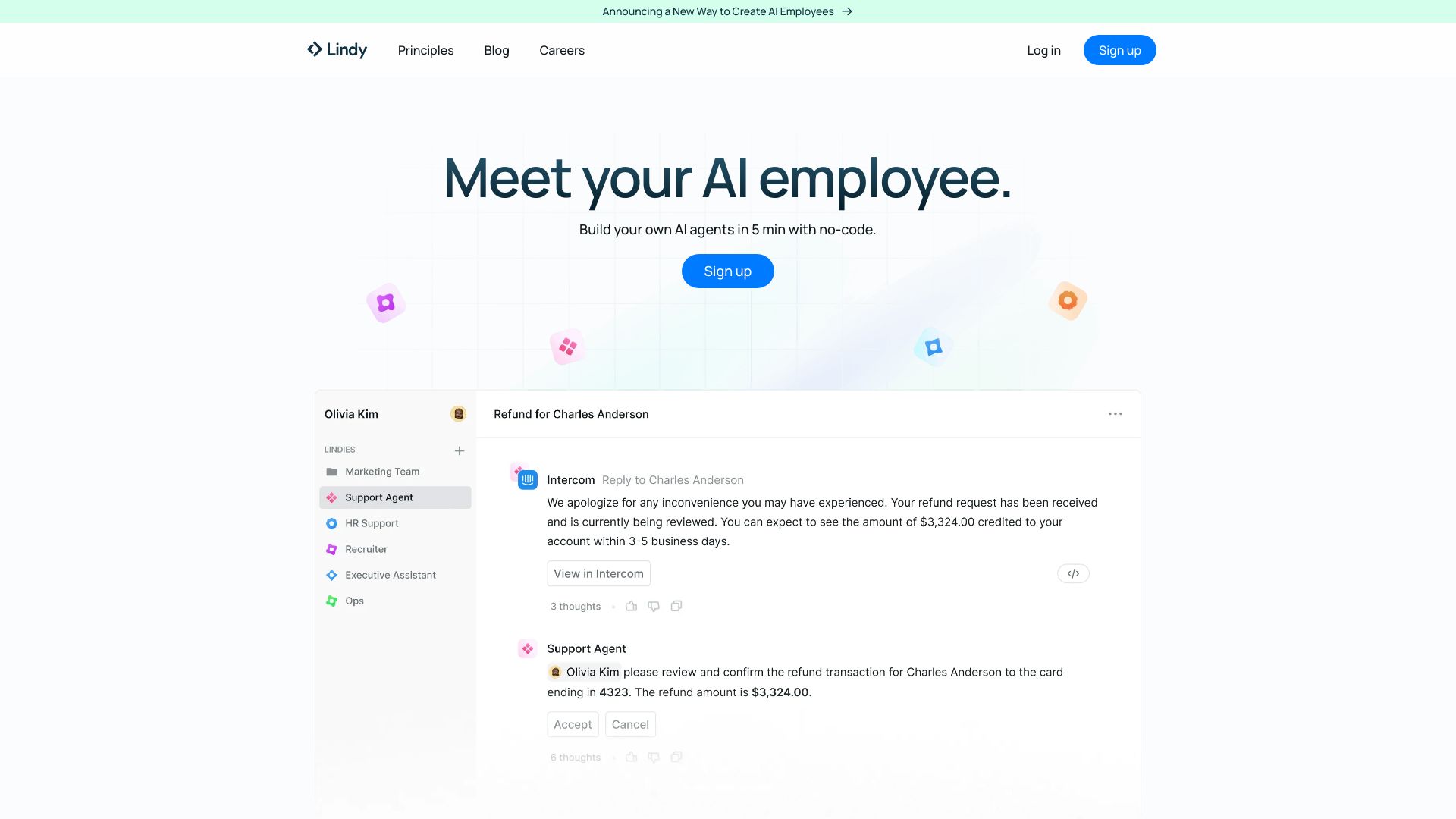
Lindy AI is a no-code platform for building practical, task-focused AI agents that automate everyday work. Teams use it to streamline email and calendar management, customer support, sales outreach, recruiting workflows, and more—without writing code. With 3000+ integrations, event-based triggers, and cross-agent collaboration, Lindy AI connects to your existing SaaS tools and orchestrates multi-step processes end to end. Its core value lies in faster execution, reduced manual effort, and consistent, auditable workflows tailored to your organization.
Lindy AI Main Features
- No-code agent builder: Create AI agents using visual configuration and natural-language instructions, minimizing engineering overhead.
- 3000+ integrations: Connect agents to popular apps and data sources to read, write, and synchronize information across tools.
- Event-based triggers: Start workflows on emails received, form submissions, CRM updates, calendar changes, and other system events.
- Cross-agent collaboration: Orchestrate multi-agent workflows where specialized agents hand off tasks for greater reliability and scale.
- Templates and reusable components: Accelerate setup with proven patterns for support, sales, recruiting, and operations.
- Human-in-the-loop controls: Route sensitive steps for review and approval to maintain quality and compliance.
- Logging and analytics: Track executions, outcomes, and errors to iterate on prompts, rules, and automations.
Who Should Use Lindy AI
Lindy AI suits operations, support, sales, and HR teams seeking reliable workflow automation across their existing stack. it's ideal for startups standardizing processes, SMBs reducing repetitive work, and enterprises piloting AI agents alongside legacy systems. Non-technical users can design agents without coding, while technical teams can scale complex, multi-agent orchestrations.
How to Use Lindy AI
- Sign up and create a workspace for your team and projects.
- Choose a template (e.g., email triage, lead qualification) or start from a blank agent.
- Connect integrations to the apps your workflow depends on.
- Define event-based triggers (such as incoming emails or CRM changes).
- Write agent instructions, policies, and guardrails in natural language.
- Chain multiple agents for handoffs or approvals as needed.
- Test with sample data, review logs, and refine prompts or rules.
- Deploy to production, set schedules or webhooks, and monitor performance.
Lindy AI Industry Use Cases
- Customer support: An agent triages inbound emails, enriches tickets with account context, drafts responses, and escalates edge cases to human agents.
- Sales: A qualification agent scores new leads from form submissions, schedules meetings, and syncs notes to the CRM.
- Recruiting: An agent screens applicants, coordinates interviews across calendars, and updates candidate stages.
- Operations: A back-office agent reconciles records across tools, posts alerts on exceptions, and triggers approvals.
Lindy AI Pros and Cons
Pros:
- True no-code setup lowers barriers for non-technical teams.
- Broad integrations reduce custom connectors and manual data transfer.
- Event-driven automation handles real-time business processes.
- Cross-agent collaboration enables scalable, modular workflows.
- Human-in-the-loop controls help maintain quality and governance.
Cons:
- Complex, highly specialized edge cases may still require custom development.
- Agent reliability depends on third-party integration limits and API changes.
- Requires thoughtful prompt and policy design to ensure consistent outputs.
- Change management is needed so teams trust and adopt automated workflows.
Lindy AI FAQs
-
Question 1: What kinds of tasks can Lindy AI automate?
Common examples include email triage, meeting scheduling, lead qualification, support ticket routing, data enrichment, and status updates across connected tools.
-
Question 2: Do I need coding skills to build agents?
No. You can configure agents with a visual builder, templates, and natural-language instructions. Technical users can still design more advanced multi-agent workflows.
-
Question 3: How does Lindy AI integrate with existing software?
It offers 3000+ integrations so agents can listen for events, read and write data, and trigger actions in widely used SaaS tools.
-
Question 4: Can humans review actions before they’re executed?
Yes. You can insert human-in-the-loop steps for approvals or exceptions to maintain oversight and quality.