
- Home
- AI Customer Service
- Clerk Chat
Clerk Chat
Open Website-
Tool Introduction:Text‑enable your landline for Slack, Teams; AI SMS with verified 10DLC.
-
Inclusion Date:Nov 09, 2025
-
Social Media & Email:


Tool Information
What is Clerk Chat AI
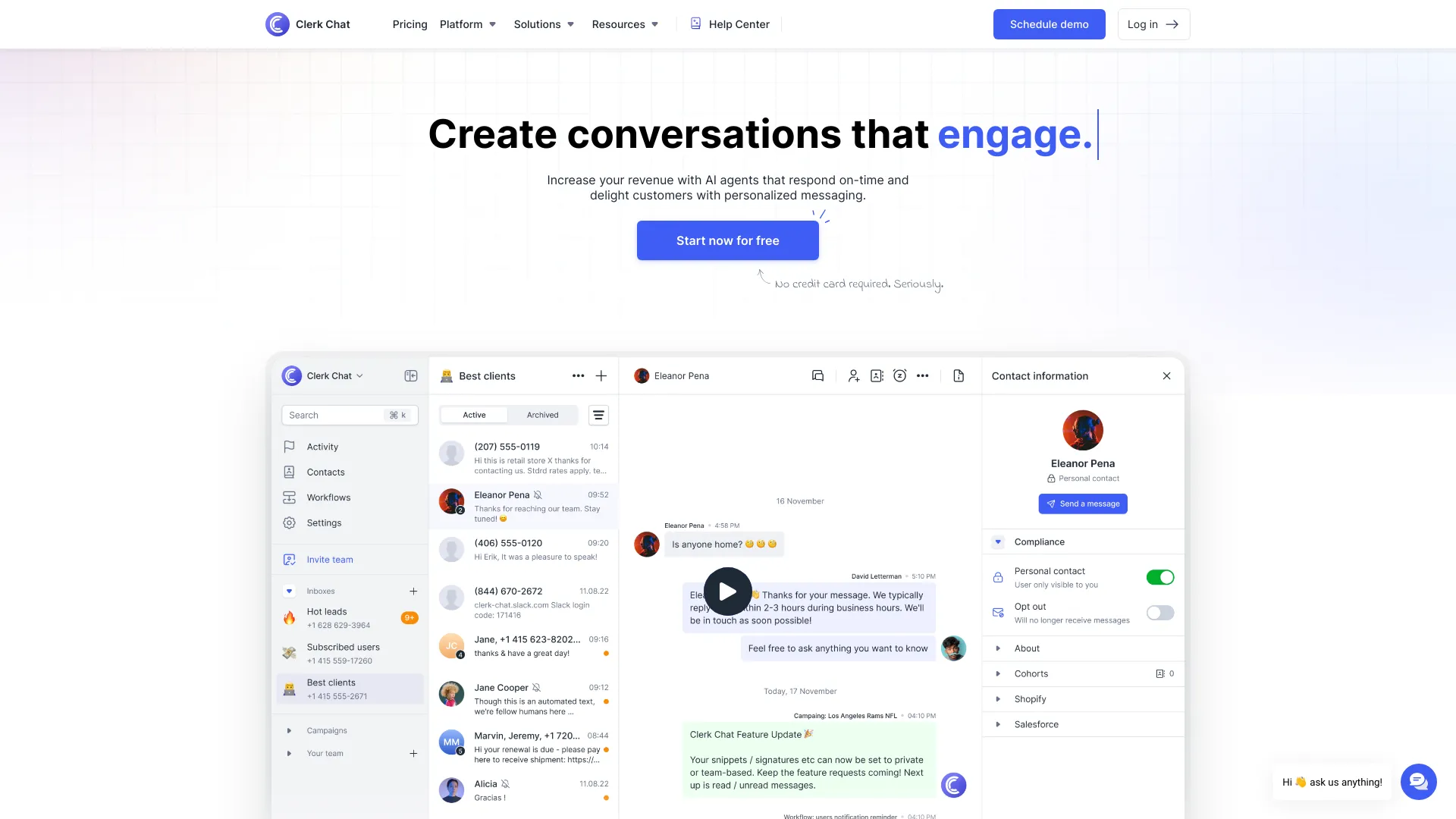
Clerk Chat AI is a business messaging platform that turns existing landlines and VoIP numbers into textable phone numbers. It centralizes 2-way texting, AI SMS, and RCS for Business across Slack, Microsoft Teams, Salesforce, and a web app, so teams can reach customers without switching tools. With mass texting, personalized messaging, and carrier-grade integrations, Clerk Chat supports branded messages and calling, compliance-ready workflows, and verified 10DLC registration to help companies communicate at scale while maintaining trust and deliverability.
Main Features of Clerk Chat AI
- Text-enable existing numbers: Convert business landlines and VoIP numbers into textable lines without changing your phone setup.
- AI SMS assistant: Automate replies, triage conversations, suggest responses, and maintain consistent tone and compliance.
- RCS for Business: Send rich, branded messages with images, carousels, and buttons where supported.
- 2-way texting with shared inbox: Collaborate in Slack, Microsoft Teams, Salesforce, or the web app to manage customer threads.
- Mass texting & campaigns: Broadcast announcements with segmentation, personalization, templates, and scheduling.
- Deep integrations: Connect with carriers and apps like Slack, MS Teams, Zoom, Webex, and Salesforce for seamless workflows.
- Compliance & trust: Verified 10DLC registration, opt-in/opt-out handling, audit trails, and branded messaging.
- Analytics & deliverability: Track performance, monitor delivery status, and optimize send windows and content.
Who Can Use Clerk Chat AI
Clerk Chat AI suits SMBs and enterprises that need scalable business texting inside tools they already use. Common users include sales teams for lead follow-up, customer support for ticket updates, operations and field services for dispatch coordination, marketing for promotions and event alerts, professional services for appointment reminders, logistics for delivery notifications, real estate for listing alerts, education for campus updates, and nonprofits for volunteer outreach.
How to Use Clerk Chat AI
- Sign up and verify your business, then choose to text-enable your existing number or provision a new one.
- Complete 10DLC brand and campaign registration and set opt-in/opt-out and compliance preferences.
- Connect integrations such as Slack, Microsoft Teams, Zoom, Webex, or Salesforce.
- Create shared inboxes, add users, set roles, business hours, and routing rules.
- Import contacts, build segments, and create templates and personalization fields.
- Configure AI SMS automations for FAQs, after-hours replies, and conversation triage; enable RCS branding where supported.
- Start 2-way conversations from Slack/Teams/Salesforce or launch a scheduled mass texting campaign.
- Review analytics, delivery reports, and response rates to refine content and timing.
Clerk Chat AI Use Cases
Businesses use Clerk Chat AI for appointment reminders and confirmations, sales follow-ups and demos, order status and delivery notifications, field service dispatching, event promotions and RSVP flows, customer support escalations, recruiting and interview scheduling, billing and payment nudges, and community or campus alerts. Teams manage threads in Slack or Teams, automate routine replies with AI SMS, and leverage RCS to deliver branded, media-rich experiences where available.
Clerk Chat AI Pricing
Clerk Chat AI commonly offers tiered plans based on seats, phone numbers, and message volume, with per-message rates for SMS/MMS/RCS and optional add-ons such as 10DLC registration. Volume discounts and annual billing may be available. For current plan details and any trial or demo options, visit the Clerk Chat website or contact sales.
Pros and Cons of Clerk Chat AI
Pros:
- Uses your existing business number for SMS without disrupting phone service.
- Works natively inside Slack, Microsoft Teams, and Salesforce.
- AI SMS reduces manual workload and speeds up response times.
- RCS for Business enables richer, branded messaging where supported.
- Compliance-ready with verified 10DLC, opt-in/opt-out management, and audit trails.
- Scalable shared inbox, templates, and analytics for team-wide collaboration.
Cons:
- 10DLC registration and compliance steps can add setup time.
- RCS availability varies by carrier, device, and region.
- Messaging costs may increase with high volume or media-rich content.
- Requires coordination with carriers when text-enabling existing numbers.
- AI automations need tuning to match brand voice and policies.
FAQs about Clerk Chat AI
-
Can I text from my existing landline?
Yes. Clerk Chat AI can text-enable many existing landlines and VoIP numbers without changing your voice service.
-
Does it support Slack and Microsoft Teams?
Yes. You can send and receive SMS directly inside Slack and Microsoft Teams, with shared inbox workflows.
-
What is 10DLC and why do I need it?
10DLC is a registration process for U.S. A2P messaging that improves trust and deliverability and helps maintain compliance.
-
Is RCS for Business available to all recipients?
RCS delivery depends on carrier, device, and region; messages may fall back to SMS/MMS when RCS is not supported.
-
Does it handle opt-in/opt-out?
Yes. Clerk Chat AI supports opt-in management and standard STOP/HELP keywords to align with compliance best practices.
-
Is there an API?
Clerk Chat AI offers integrations and may provide API access; check the product documentation for details.