
- Home
- AI Script Writing
- Wondershare Virbo
Wondershare Virbo
Open Website-
Tool Introduction:AI video maker with lifelike avatars, natural voices, and 40+ languages.
-
Inclusion Date:Oct 21, 2025
-
Social Media & Email:
Tool Information
What is Wondershare Virbo AI?
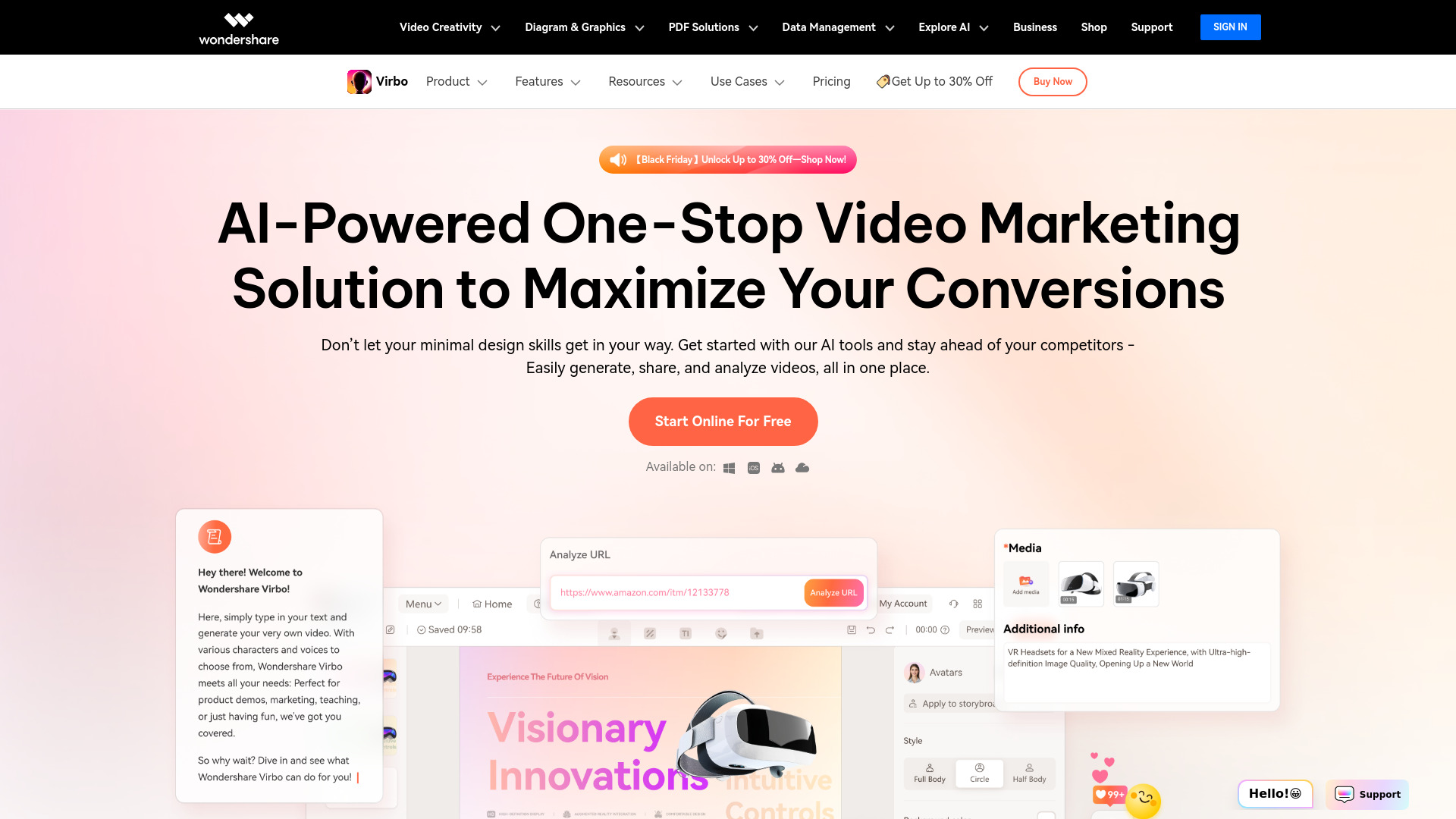
Wondershare Virbo AI is an AI video generator that turns scripts into polished videos in minutes. It combines realistic AI avatars with natural voices, accurate lip-sync, and multilingual support to help teams create explainers, product demos, training content, and social clips at scale. With text-to-video, avatar creation, video translation, and template-guided editing, Virbo streamlines production for marketing, education, and content creators, cutting cost and turnaround time while keeping messages consistent across channels and languages.
Wondershare Virbo AI Key Features
- Text-to-video workflow: Convert scripts or prompts into full videos with scene generation and timed narration.
- Realistic AI avatars: Choose from diverse presenters designed for professional contexts, with lifelike gestures and lip-sync.
- Natural voices and styles: Access multiple voice options, speaking rates, tones, and emphasis for different use cases.
- Multilingual video translation: Translate videos and subtitles, preserving timing and syncing voiceovers across languages.
- Templates and layouts: Start fast with prebuilt scenes for explainers, tutorials, ads, onboarding, and announcements.
- Captioning and subtitles: Auto-generate closed captions and on-screen text with editable timing.
- Media support: Import images, short clips, and screen recordings to enrich scenes and demos.
- Platform-ready exports: Resize and export for social media, LMS, and web, optimizing aspect ratios and resolution.
Who Is Wondershare Virbo AI For
Virbo suits marketers producing product videos and ads, L&D and HR teams building training and onboarding modules, educators creating multilingual lessons, sales and customer success teams making walkthroughs, and content creators seeking fast, camera-free production. It is also helpful for startups and agencies that need scalable localization and consistent brand messaging across regions.
How to Use Wondershare Virbo AI
- Sign up and create a new project from a template or a blank canvas.
- Select an AI avatar and choose a voice, language, and speaking style.
- Paste your script or draft it with a built-in assistant; define scene breaks if needed.
- Add visuals such as images, short clips, slides, or screen recordings; enable captions.
- Set pacing, pronunciations, and emphasis; preview lip-sync and timing.
- Generate the video, review, and refine any scenes, subtitles, or transitions.
- Export in the desired format and aspect ratio; optionally translate for additional languages.
Wondershare Virbo AI Industry Use Cases
A SaaS company can produce multilingual product tours for feature launches without booking studios. An education team can convert lesson scripts into localized video modules for global learners. Retail and eCommerce brands can generate product spotlight videos for social channels and PDPs. HR teams can standardize onboarding and compliance training with consistent avatars and clear captions.
Wondershare Virbo AI Pros and Cons
Pros:
- Rapid, scalable video production without filming.
- High-quality avatars and natural voices with accurate lip-sync.
- Built-in translation and captioning for multilingual delivery.
- Template-driven workflows reduce editing time and costs.
- Easy repurposing and platform-ready exports for social and LMS.
Cons:
- Avatar delivery may feel less spontaneous than live presenters.
- Specialized terms may require pronunciation tuning and QA.
- Complex motion graphics and custom animations can be limited.
- Dependent on internet connection and render queues for output.
Wondershare Virbo AI FAQs
-
Can I create videos without appearing on camera?
Yes. You can produce videos using AI avatars and voices, so no filming is required.
-
Does Virbo support multiple languages?
Yes. It offers multilingual voices and video translation to localize scripts, audio, and subtitles.
-
Can I import my own media assets?
Yes. You can add images, short video clips, slides, and screen recordings to enrich scenes.
-
Are subtitles generated automatically?
Virbo can auto-generate captions and let you edit timing and text for accuracy.
-
Where can I publish the videos?
Export for social platforms, websites, and learning systems using common aspect ratios and resolutions.