
- Home
- AI Text-to-Speech
- Texttovoice
Texttovoice
Open Website-
Tool Introduction:Texttovoice AI transforms your text into lifelike speech in various languages, perfect for engaging content.
-
Inclusion Date:Dec 02, 2025
-
Social Media & Email:

Tool Information
What is Texttovoice AI
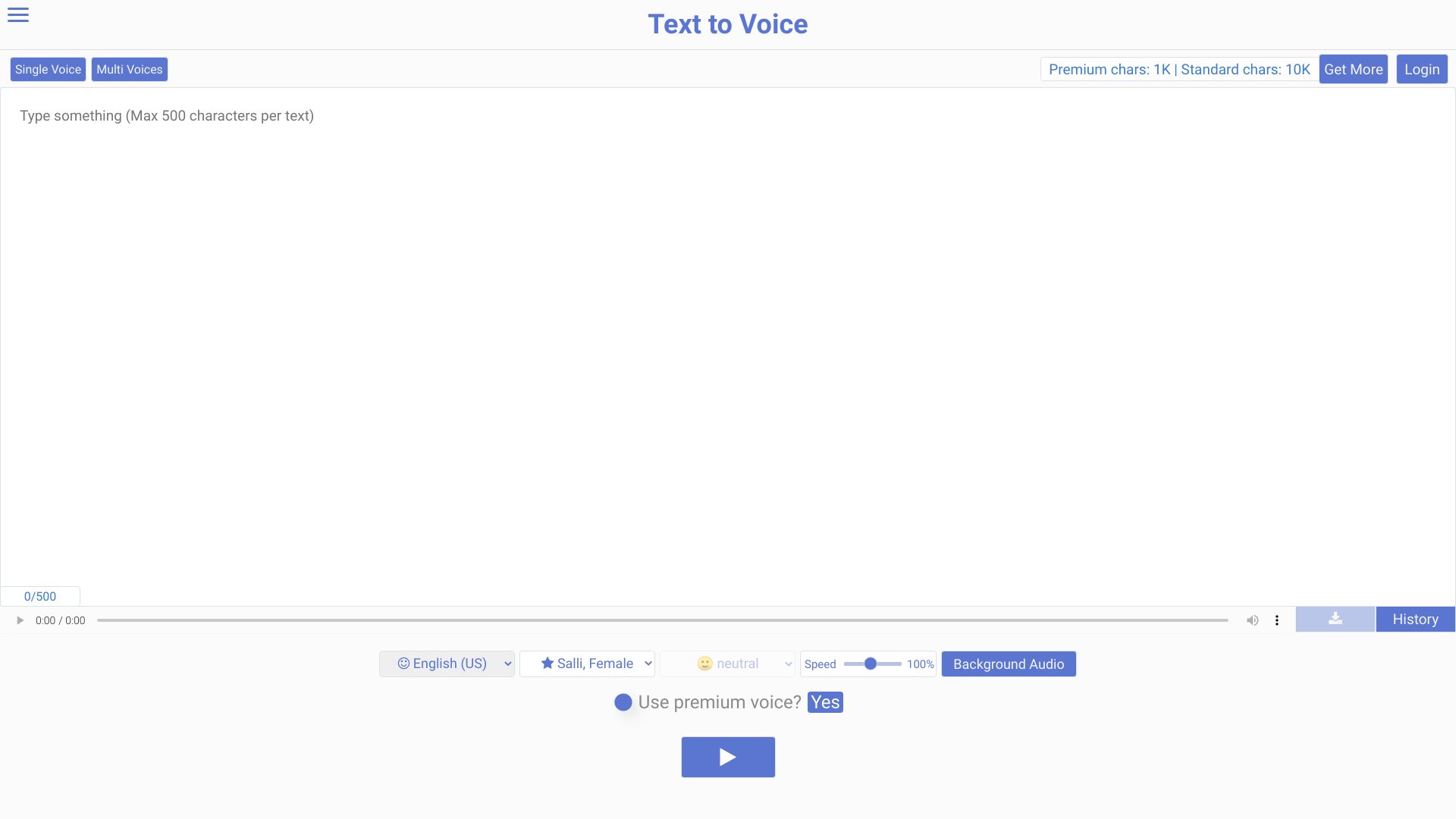
Texttovoice AI is a cutting-edge online text-to-speech converter designed to transform written content into lifelike speech using advanced artificial intelligence technology. This tool is ideal for content creators, educators, and anyone looking to convert text into realistic English voices effortlessly. With capability for emotion-infused voices, Texttovoice AI offers a range of conversational styles that enhance user engagement. The platform supports numerous languages and includes both premium and standard voices, with premium options leveraging enhanced algorithms for more authentic and natural sound. Users can easily download the converted audio as MP3 files, making it simple to incorporate into various multimedia projects.
Main Features of Texttovoice AI
- Realistic Voice Generation: Texttovoice AI creates high-quality, natural-sounding speech for various applications.
- Emotion Settings: Users can select different emotional tones to better convey the message's intent and mood.
- Multiple Language Support: The tool accommodates users from diverse backgrounds by providing text-to-speech conversion in various languages.
- Downloadable Audio Files: Converted text can be easily downloaded as MP3 files for use across multiple platforms.
- Voice Styles: Choose from a variety of voice styles to suit different needs, including casual, professional, or creative tones.
- Background Audio Options: Users can add background music to their voiceovers, enhancing the overall auditory experience.
Who Can Use Texttovoice AI
Texttovoice AI is perfect for a wide range of users including content creators, marketers, educators, and professionals who need to create engaging voiceovers. Whether you're producing educational materials, crafting social media posts, or developing marketing videos, this AI tool makes it easy to generate dynamic and captivating spoken content. Additionally, students and researchers can benefit from its capabilities for turning written reports or articles into accessible audio formats.
How to Use Texttovoice AI
- Visit the Website: Go to the Texttovoice AI homepage.
- Input Your Text: Paste or type the text you wish to convert into the designated input field.
- Select Voice Settings: Choose your preferred voice, language, and emotional tone from the available options.
- Preview Audio: Click on the play button to listen to a preview of the generated speech.
- Download the Output: Once satisfied, click the download button to save the audio file in MP3 format.
Texttovoice AI Use Cases
Texttovoice AI has a myriad of applications across different fields. For instance, educators can use it to create engaging audiobooks for students, while businesses can transform promotional texts into lively video ads with voice-over features. Content creators on platforms like Instagram and TikTok can leverage this tool to add a professional touch to their videos. Additionally, developers may integrate Texttovoice's capabilities into applications requiring robust speech generation functionalities.
Texttovoice AI Pricing
Texttovoice AI offers a free version that allows users to access basic text-to-speech conversion features. For those seeking richer functionalities, such as premium voice options and additional emotional controls, a subscription model is available. it's beneficial to explore the site for information on any promotional offers or trial periods that may be provided for new users.
Pros and Cons of Texttovoice AI
Pros:
- User-friendly interface makes it accessible to everyone.
- Diverse language and voice options cater to a global audience.
- Ability to infuse emotion into voices adds depth to communication.
- Downloadable audio files facilitate effortless sharing and integration.
Cons:
- Free version may have limitations in voice quality and options.
- Some users may find premium features necessary for advanced projects.
FAQs about Texttovoice AI
-
Question 1: Can I use Texttovoice AI for commercial purposes?
Yes, Texttovoice AI allows users to create voiceovers for commercial projects, although it's advisable to check the specific licensing details related to the conversion output.