
- Home
- AI Name Generator
- My Clever AI
My Clever AI
Open Website-
Tool Introduction:Build sites, learn faster, and create with MyCleverAI smart tools.
-
Inclusion Date:Nov 10, 2025
-
Social Media & Email:


Tool Information
What is My Clever AI
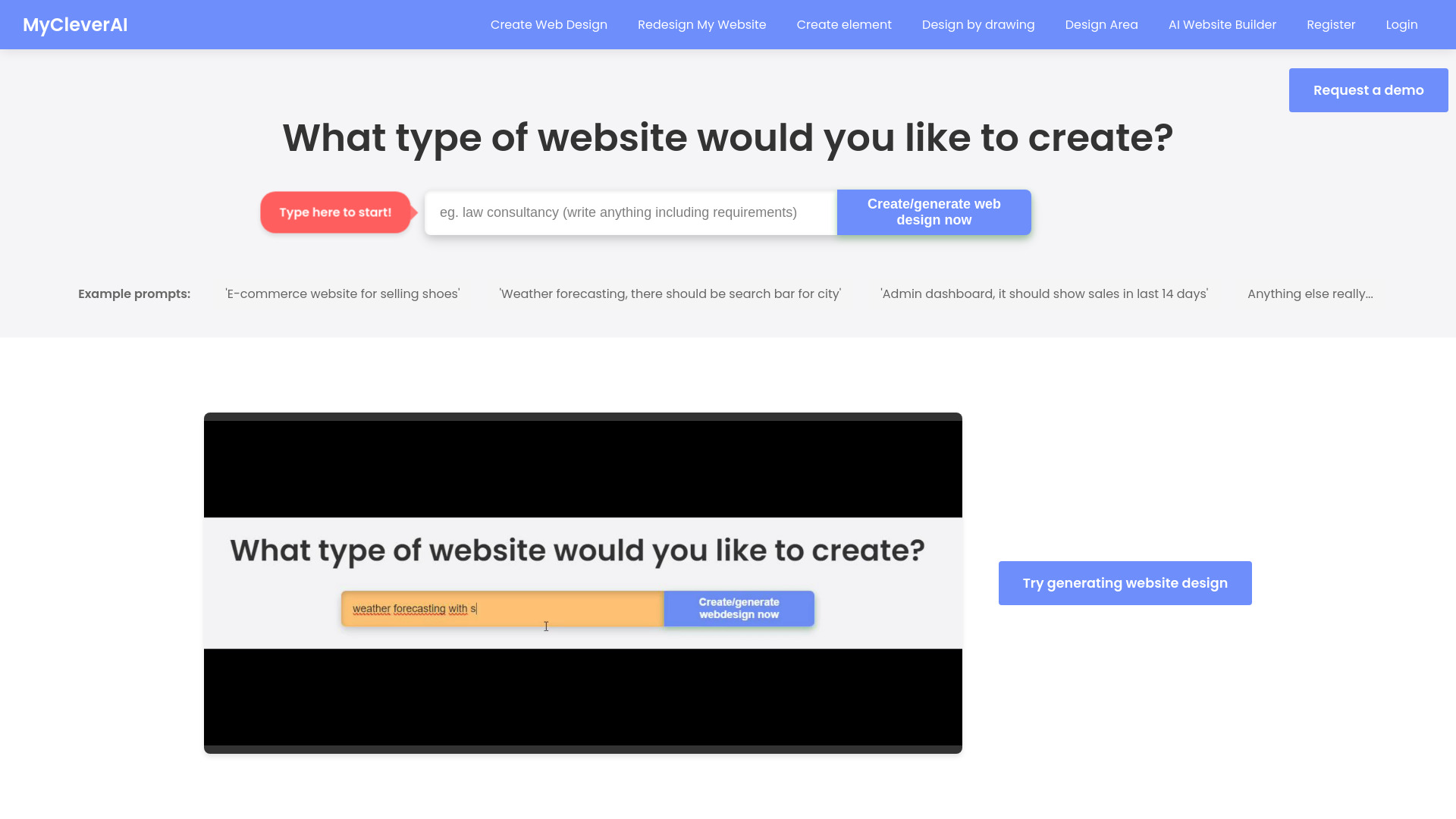
My Clever AI is an all-in-one platform that brings together practical and creative AI tools for learning, web design, content creation, and entertainment. It combines an AI Website Builder, AI Tutor, AI photography tools, and an AI writing assistant to help you generate responsive web designs, edit photos, create AI characters, and draft copy with simple prompts. By unifying multiple AI utilities in one place, it streamlines workflows, reduces busywork, and helps students, creators, and businesses move from ideas to polished results faster.
Main Features of My Clever AI
- AI Website Builder: Generate page layouts, sections, and styles from prompts; customize with drag-and-drop and ready-made templates.
- AI Tutor: Ask questions, get step-by-step explanations, summaries, and study plans tailored to your learning goals.
- AI Photography Tools: Enhance images, adjust lighting and color, remove backgrounds, and apply creative styles for social and web.
- AI Writing Assistant: Draft blogs, landing-page copy, product descriptions, and social captions with tone and length controls.
- AI Character Creator: Design unique AI characters and personas for storytelling, branding, and interactive experiences.
- Templates & Presets: Start fast with templates for websites, posts, and visuals; fine-tune to match your brand or project.
- Prompt-first Workflow: Natural language prompts turn ideas into layouts, text, images, and characters in minutes.
- Editing & Iteration: Regenerate, refine, and remix outputs; keep versions to compare styles and directions.
- Asset Management: Organize projects, reuse components, and export content for publishing or collaboration.
- Productivity & Fun: Switch between serious tasks and creative play without juggling multiple apps or logins.
Who Can Use My Clever AI
My Clever AI suits students and educators seeking an adaptive AI tutor, freelancers and small businesses who need a fast AI website builder, marketers and content creators producing copy and visuals at scale, and designers or hobbyists exploring AI photography and character creation. it's a versatile toolkit for anyone who wants to prototype ideas quickly, polish assets, and streamline everyday creative and learning workflows.
How to Use My Clever AI
- Sign up and create a profile to access the full suite of AI tools.
- Choose a tool (Website Builder, Tutor, Photo, Writing, Character) based on your task.
- Enter a clear prompt and upload any assets (brand info, images, notes) to guide the output.
- Generate initial results, then refine with edits, tone settings, or style controls.
- Use templates or drag-and-drop components to customize layouts and content.
- Iterate: regenerate sections, tweak prompts, or adjust parameters until satisfied.
- Save your project, organize assets, and export or download content for publishing.
- Revisit projects to update designs, copy, or images as your needs evolve.
My Clever AI Use Cases
In education, learners use the AI Tutor for concept breakdowns, practice questions, and study guides. E-commerce teams generate product pages and touch up photos for consistent catalogs. Agencies and freelancers prototype landing pages and brand narratives for client pitches. Bloggers and creators draft articles, headlines, and social posts, then pair them with AI-styled images. Entertainment and storytelling projects build AI characters for world-building, scripts, and visual mood boards.
Pros and Cons of My Clever AI
Pros:
- All-in-one toolkit reduces the need for multiple AI apps and subscriptions.
- Beginner-friendly prompts, templates, and drag-and-drop customization.
- Versatile features cover web design, writing, tutoring, and image editing.
- Fast iteration enables rapid prototyping and content refinement.
- Helps maintain brand consistency across text and visuals.
Cons:
- Output quality can vary and may require manual polishing for final use.
- Learning the nuances of each tool can take time for new users.
- Highly specialized design or copy needs may exceed generic templates.
- Complex projects may need additional review for accuracy and style.
FAQs about My Clever AI
-
Does My Clever AI require design or coding skills?
No. It offers a code-free, prompt-based workflow with templates and drag-and-drop editing.
-
Can I customize AI-generated websites and content?
Yes. You can refine prompts, edit sections, adjust tone and styles, and replace components.
-
What types of images can the AI photography tools handle?
They support common formats and help with enhancements, background removal, and styling.
-
Is it suitable for team workflows?
Teams can collaborate by organizing projects and reusing shared assets and templates.
-
Can I export content created in My Clever AI?
You can download or export generated text and images for use across websites and social channels.