
Tettra
Open Website-
Tool Introduction:AI knowledge base that auto-updates and answers Slack questions fast.
-
Inclusion Date:Nov 09, 2025
-
Social Media & Email:
Tool Information
What is Tettra AI
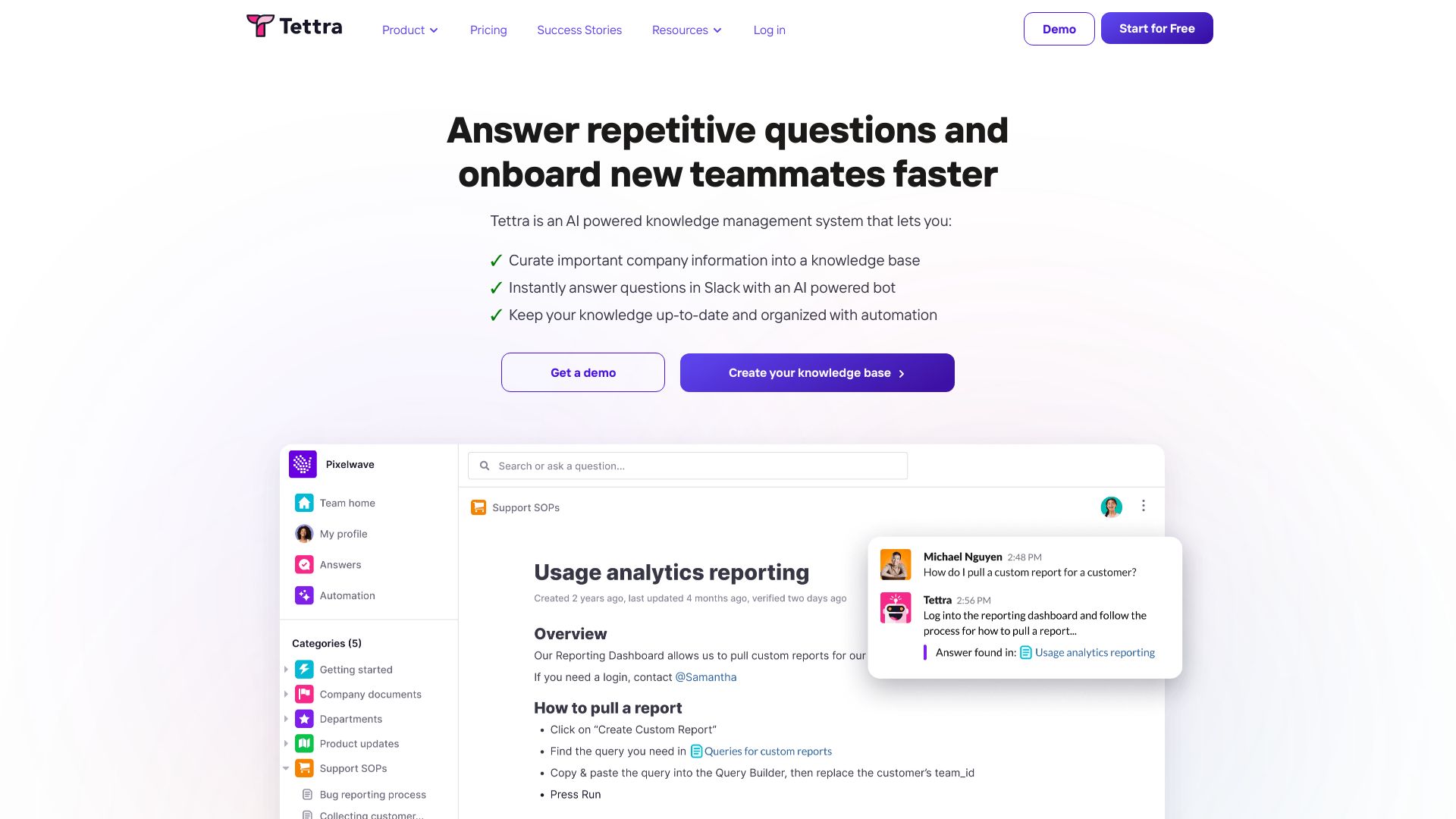
Tettra AI is an AI-powered knowledge management system that turns scattered company information into a centralized, searchable internal knowledge base. It combines a structured wiki with an AI bot that delivers instant answers to repetitive questions directly in Slack, reducing interruptions and speeding up onboarding. Verification workflows, ownership, and automation help keep content accurate and up to date, while integrations with tools like Google Drive and GitHub streamline curation. The result is a reliable, organized source of truth for teams.
Main Features of Tettra AI
- AI answers in Slack: An AI-powered bot retrieves verified pages to answer common questions and routes unresolved requests to experts.
- Structured knowledge base: Create organized pages with categories, tags, templates, and internal links for a clear, searchable internal wiki.
- Verification and ownership: Assign page owners, set review cadences, and use verification badges to ensure information stays current.
- Content requests: Capture unanswered questions and convert them into tracked documentation tasks.
- Smart search and suggestions: Fast search, related-page suggestions, and recommended updates surface the right content at the right time.
- Automations: Reminders and workflows prompt updates, reducing stale docs and knowledge gaps.
- Integrations: Connect Slack, Google Drive, GitHub, and Zapier to pull context and simplify knowledge curation.
- Permissions and roles: Manage access with team-based permissions, page-level controls, and editorial roles.
- Analytics: Track popular pages, unanswered questions, and content health to guide improvements.
Who Can Use Tettra AI
Tettra AI suits growing teams that want a dependable knowledge base software for internal documentation and instant Q&A. it's helpful for HR and People Ops onboarding, support and success teams handling FAQs, product and engineering teams documenting processes, and revenue teams sharing playbooks. Remote and hybrid companies benefit from Slack integration and automated knowledge verification.
How to Use Tettra AI
- Sign up and create your workspace, then invite teammates with appropriate roles and permissions.
- Connect integrations like Slack, Google Drive, or GitHub to centralize and reference existing knowledge.
- Set up your structure with categories, tags, and page templates for consistent documentation.
- Import or write pages, assign owners, and enable verification schedules to keep content fresh.
- Activate the Slack bot so teammates can ask questions and receive instant AI-powered answers.
- Use content requests to capture gaps, then convert frequent questions into new or updated pages.
- Review analytics and suggested updates to refine your knowledge base over time.
Tettra AI Use Cases
Companies use Tettra AI to speed up employee onboarding with role-based guides, reduce Slack interruptions by answering repeat questions automatically, centralize SOPs for support and success teams, document engineering runbooks and incident workflows, maintain product specs and release notes, and standardize HR policies and IT procedures. Sales and marketing teams share playbooks, messaging, and competitive insights in one organized, searchable hub.
Tettra AI Pricing
Tettra AI typically follows tiered, per-user pricing with plans designed for small teams, growing companies, and larger organizations. A free trial is commonly available so teams can test core features like the knowledge base and Slack Q&A. Advanced capabilities, higher usage limits, and enterprise controls are offered on upper tiers; enterprise plans usually include custom terms and support.
Pros and Cons of Tettra AI
Pros:
- Slack-native AI answers reduce repetitive questions and speed up knowledge discovery.
- Clear verification workflows and ownership keep documentation accurate.
- Strong search, templates, and suggestions improve findability and consistency.
- Useful integrations with Google Drive, GitHub, and Zapier.
- Permissions and analytics support governance and continuous improvement.
Cons:
- Best value realized by teams already using Slack; other chat tools may require workarounds.
- AI answer quality depends on the completeness and freshness of your content.
- Requires initial setup and ongoing stewardship to build a reliable source of truth.
- Per-seat pricing can add up for large organizations without careful role planning.
FAQs about Tettra AI
Does Tettra AI work with Slack?
Yes. It offers a Slack-native bot that answers questions with verified knowledge base content and captures new requests.
Can Tettra AI replace an internal wiki?
For many teams, yes. It provides a structured knowledge base with search, templates, permissions, and verification workflows.
How does the AI generate answers?
The bot searches your documented pages and surfaces relevant, verified content; it can escalate unresolved questions to owners.
What integrations are available?
Common integrations include Slack, Google Drive, GitHub, and Zapier to reference and automate knowledge-sharing.
Is there a free trial?
Teams can typically start with a free trial to evaluate features before choosing a paid plan.