
- Home
- AI Image Generator
- Runway
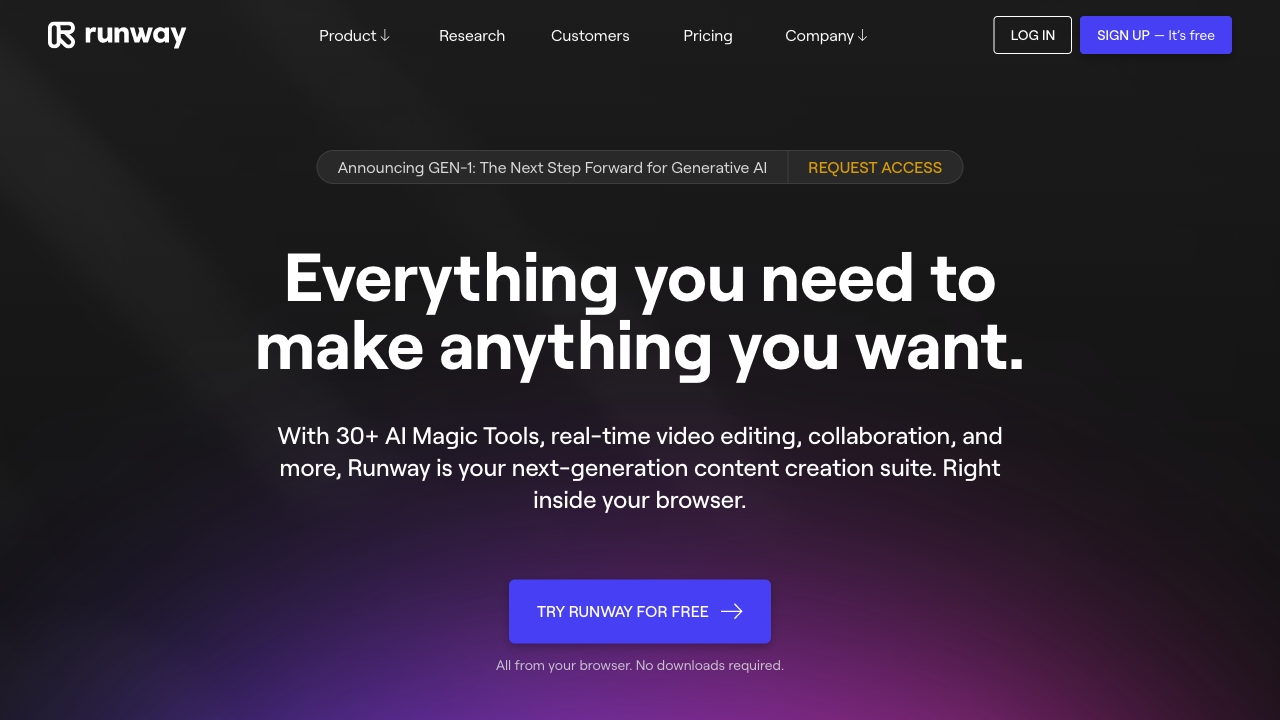
Runway
Open Website-
Tool Introduction:Runway AI for pro-grade video generation. Gen-4 keeps shots consistent.
-
Inclusion Date:Oct 21, 2025
-
Social Media & Email:


Tool Information
What is Runway AI
Runway AI is an applied research company and creative platform for AI-powered media generation. Anchored by Gen-4, its next-generation model suite, Runway enables text-to-video, image-to-video, and advanced editing with strong style and world consistency across shots. Built for modern production, it helps filmmakers, studios, agencies, and brands ideate, previsualize, and finish content faster. With intuitive controls and cloud compute, Runway turns prompts, references, and footage into high-quality visuals inside a collaborative, browser-based workflow.
Runway AI Features
- Gen-4 generative engine: Next-generation models for high-fidelity, temporally consistent AI video generation and imagery.
- Text-to-video and image-to-video: Create shots from prompts or still references to accelerate storyboards, mood films, and animatics.
- World and character consistency: Tools to maintain style, subjects, and locations across multiple shots for coherent sequences.
- AI VFX and editing: Background removal, inpainting, and enhancement features that blend generation with post-production workflows.
- Creative controls: Guidance for look, camera feel, motion, and composition to refine results without heavy 3D pipelines.
- Iterative previewing: Fast drafts, re-generation, and versioning to explore directions and converge on final frames.
- Collaboration: Shared projects, comments, and asset organization to keep teams aligned from concept to delivery.
- Flexible export: Choose aspect ratios, durations, and frame rates suitable for social, web, and production handoff.
- Cloud rendering: Scales on demand, enabling high-quality outputs without local GPUs or complex setups.
- Enterprise support: Options for governance, security, and support tailored to studio and brand workflows.
Who is Runway AI for
Runway AI suits filmmakers, production companies, creative agencies, brand marketers, motion designers, and independent creators who need fast ideation and polished visuals. It is valuable for previsualization, concept development, social content, and select final delivery where generative video and AI-assisted VFX can compress timelines and costs.
How to use Runway AI
- Sign up and create a workspace for individual or team use.
- Start a project and choose a Gen-4 media generation or AI editing tool.
- Enter a text prompt, upload reference images or footage, and set duration and aspect ratio.
- Generate a preview, review results, and iterate by refining prompts or guidance settings.
- Use editing tools to mask, replace backgrounds, or inpaint details for cleaner shots.
- Maintain style and subjects across shots with consistency-focused settings and references.
- Upscale or adjust frame rate and color to prepare for delivery.
- Export the final media and share links for team feedback or handoff.
Runway AI Industry Use Cases
Studios use Runway for film and TV previsualization, generating mood films and animatics before shoots. Agencies craft concept videos, product hero shots, and social cutdowns rapidly. Brands accelerate content pipelines for campaigns and event visuals. Educators and creators produce explainers and motion graphics. Across sectors, Runway reduces time from idea to screen while preserving stylistic and narrative consistency.
Runway AI Pricing
Runway typically offers a tiered subscription model with a free or trial option that includes limited generation credits. Paid plans unlock higher resolutions, longer durations, faster rendering, and advanced tools, while enterprise arrangements provide additional security, collaboration, and support. Specific features and limits vary by plan; review the pricing page for current details.
Runway AI Pros and Cons
Pros:
- High-quality AI video generator with improved temporal and stylistic consistency.
- Intuitive, browser-based workflow with fast iteration and previews.
- Combines generative tools with practical VFX editing for end-to-end workflows.
- Collaboration and asset organization suited to teams and agencies.
- Cloud rendering eliminates local hardware constraints and setup.
Cons:
- Compute credits and long renders can increase costs at scale.
- Complex scenes may still show flicker or inconsistencies requiring iteration.
- Creative control can be less granular than traditional 3D or compositing pipelines.
- Requires reliable internet and adherence to cloud workflows.
- Usage rights and licensing depend on plan terms; review before commercial use.
Runway AI FAQs
-
What is Gen-4 in Runway AI?
Gen-4 is Runway’s next-generation model family focused on higher fidelity, stronger motion, and better world consistency for media generation across shots.
-
Can I use Runway outputs commercially?
Commercial use is generally available on paid plans, but terms vary. Check your plan’s license and usage guidelines before publishing or client delivery.
-
Does Runway support editing my own footage?
Yes. You can upload video and use AI tools such as background removal, inpainting, and enhancement to refine or extend live-action content.
-
How do I keep characters and style consistent between shots?
Use reference images, guidance settings, and iterative generation to align look and subjects. Consistency-focused controls help maintain continuity across a sequence.
-
What export options are available?
Projects can be exported in common aspect ratios, frame rates, and quality levels suitable for social platforms, web, and production handoff.
-
Is Runway AI desktop software or cloud-based?
Runway is a cloud-based platform accessed via the browser, enabling on-demand rendering without specialized local hardware.