
- Home
- AI Video Editor
- Weet
Weet
Open Website-
Tool Introduction:AI for interactive training videos: screen recording, voice-over, captions.
-
Inclusion Date:Nov 10, 2025
-
Social Media & Email:


Tool Information
What is Weet AI
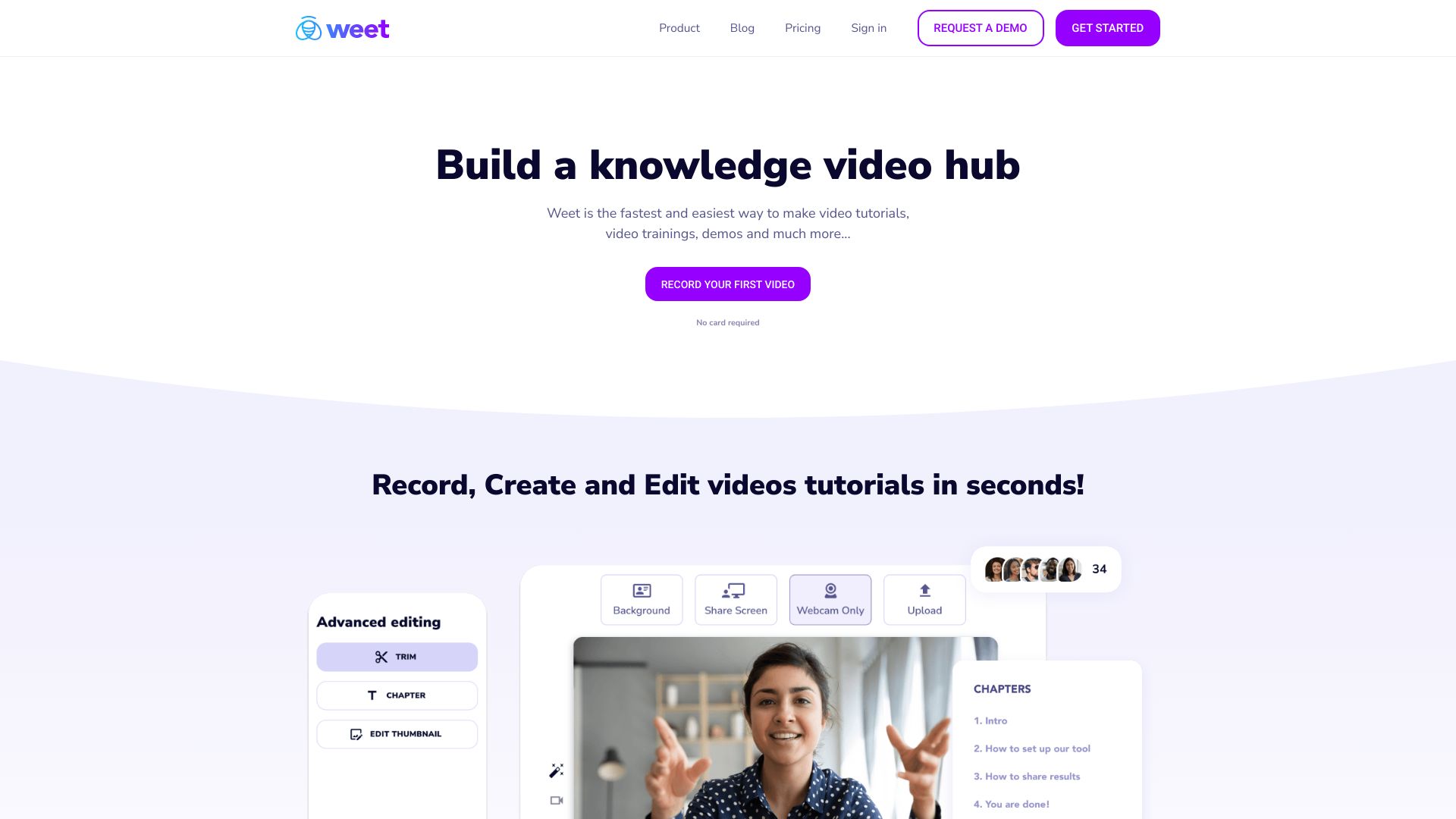
Weet AI is an AI-powered platform for creating interactive video tutorials and building a searchable knowledge video library. It streamlines screen recording, webcam capture, and simple multi-track editing, while AI features like voice-over, automatic subtitles, and translation accelerate production. Built-in background noise removal, chapters, and interactive annotations help make instructions clear and engaging. Publish securely, embed or share links, and manage permissions and analytics to keep training content organized for onboarding, customer education, and internal documentation.
Main Features of Weet AI
- Screen and camera recording: Capture your screen, webcam, and microphone directly in the browser, with quick retakes and trimming.
- AI voice-over: Generate natural-sounding narration from text to standardize tone and speed without re-recording.
- Automatic subtitles and translation: Create captions in one click, edit them inline, and translate to multiple languages for global audiences.
- Audio cleanup: Background noise removal and leveling improve clarity for training videos recorded in typical office environments.
- Interactive annotations: Add callouts, pointers, and on-screen notes; structure content with chapters and timestamps.
- Editing tools: Trim, split, and rearrange clips; overlay text and visuals to highlight steps and outcomes.
- Knowledge video library: Organize tutorials with folders, tags, and search to build a maintainable, discoverable repository.
- Branding and templates: Apply logos, colors, intros/outros, and reuse templates for consistent training assets.
- Secure sharing and embedding: Publish via shareable links, embed in portals or wikis, and control access with permissions.
- Analytics: Track views, completion rates, and drop-off points to improve content quality over time.
- Collaboration: Collect feedback with comments and approvals to keep teams aligned on updates.
Who Can Use Weet AI
Weet AI suits learning and development teams, HR and people ops, customer success and support, product managers, educators, agencies, and freelancers. It is well-suited for onboarding, process documentation, customer education, feature walkthroughs, SOP guides, policy updates, and remote team training where concise, repeatable video instructions reduce tickets and speed up knowledge transfer.
How to Use Weet AI
- Create an account and set up your workspace or team library.
- Choose a template or start from scratch; outline the steps your tutorial will cover.
- Record your screen and webcam, or upload an existing video to begin editing.
- Trim clips, add chapters and interactive annotations to guide viewers through key actions.
- Use AI voice-over for narration or keep your original audio as needed.
- Generate subtitles, review for accuracy, and translate for multilingual audiences.
- Apply noise removal, finalize branding, and set permissions and visibility.
- Publish, share a link or embed the video, then review analytics to iterate.
Weet AI Use Cases
Software companies create onboarding and feature tours to reduce support tickets. Internal IT teams produce how-to guides for tools and access requests. HR shares policy updates and compliance training. Educators and training providers deliver microlearning modules with captions and translations. Retail and field operations standardize SOPs across locations. Customer success teams build a knowledge video library for FAQs and product walkthroughs that scales across global audiences.
Weet AI Pricing
Weet AI typically follows a tiered pricing model based on creator seats, storage, and advanced features like analytics, branding, and access controls. Many plans include a free tier or trial to test recording, editing, and sharing before upgrading. Business and enterprise tiers commonly add collaboration options and administrative controls. For the latest details, review the official pricing page.
Pros and Cons of Weet AI
Pros:
- All-in-one recording, editing, and library management in the browser.
- AI voice-over plus automatic subtitles and translations for faster production.
- Interactive annotations and chapters improve clarity and navigation.
- Centralized knowledge video library with tags and search.
- Secure sharing, embedding, and analytics to measure engagement.
- Consistent branding and templates for scalable training content.
Cons:
- Advanced video compositing may require a dedicated NLE.
- Some features (analytics, branding, translations) may be on higher tiers.
- Large uploads and HD exports depend on network speed and bandwidth.
- Teams new to video may face a short learning curve.
- Interactivity is lighter than full e-learning authoring suites.
FAQs about Weet AI
-
Does Weet AI support subtitles and translation?
Yes. It can auto-generate captions, let you edit them, and translate to multiple languages for global training.
-
Can I upload existing videos?
Yes. Import popular video formats to trim, annotate, add chapters, and enhance with AI voice-over and captions.
-
How do I share videos with my team or customers?
You can share a secure link, set access permissions, or embed the video in portals, wikis, and knowledge bases.
-
Is Weet AI browser-based?
Yes. Recording and editing are designed to work in the browser, so teams can create and update content quickly.
-
Does Weet AI provide analytics?
It offers engagement metrics such as views and completion rates to help you refine tutorials and training content.