
- Home
- AI Image Enhancer
- MyArchitectAI
MyArchitectAI
Open Website-
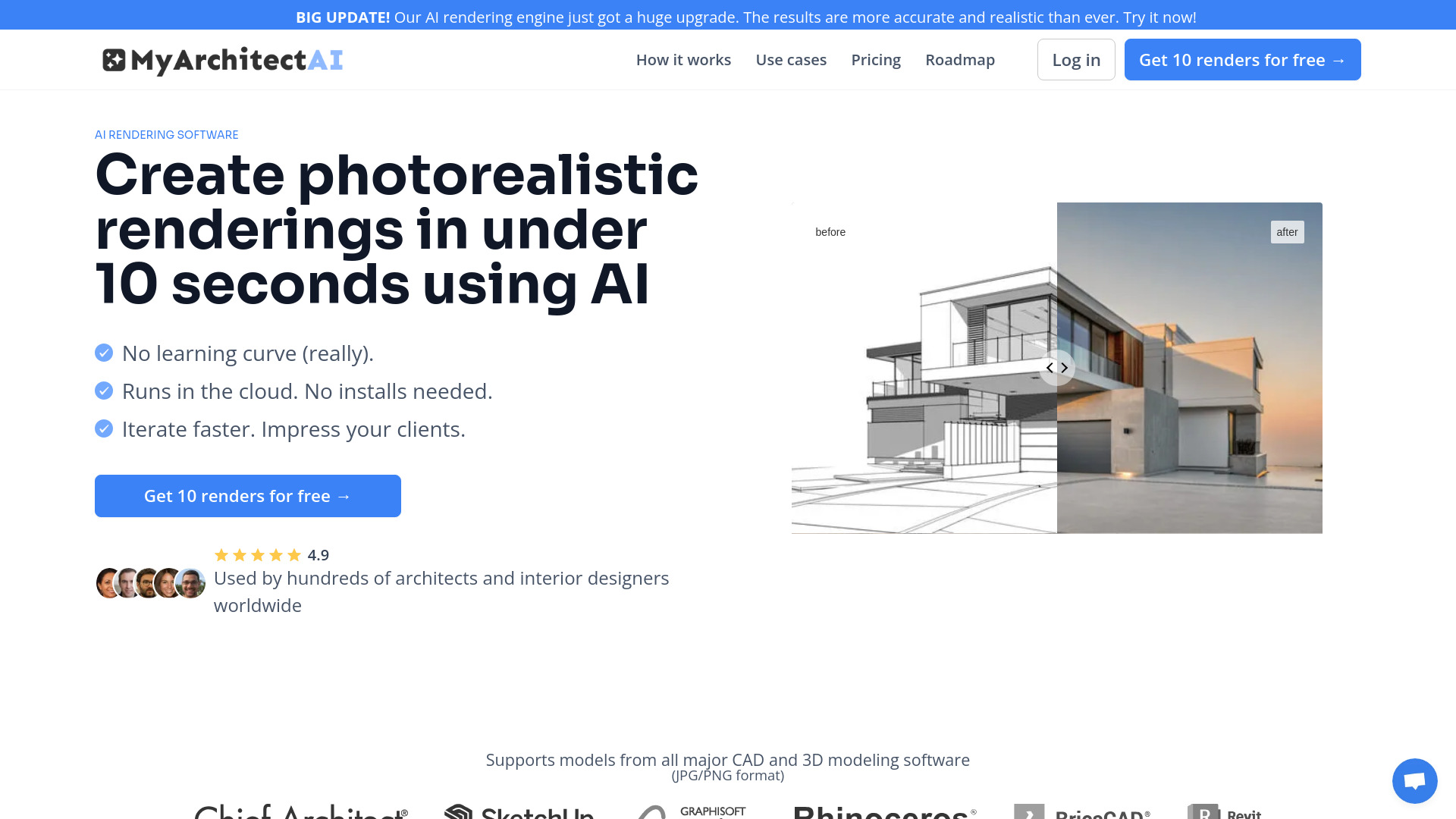
Tool Introduction:Photorealistic renders in seconds; supports SketchUp, Archicad.
-
Inclusion Date:Oct 28, 2025
-
Social Media & Email:
Tool Information
What is MyArchitectAI
MyArchitectAI is an AI architectural rendering tool that turns CAD and 3D models into photorealistic images in under 10 seconds. Built to fit existing workflows, it accepts designs from popular software like SketchUp and Archicad. With AI style transfer for aesthetic exploration and an AI enhancer for clarity and detail, it enables rapid iteration, design variation testing, and early design communication. The platform aims to deliver around 90% of the quality of complex non‑AI render pipelines with roughly 10% of the time, effort, and cost—ideal for fast concept visuals and client-ready previews.
MyArchitectAI Features
- Lightning-fast AI renders: Generate photorealistic outputs in under 10 seconds to accelerate concept visualization and client reviews.
- Workflow compatibility: Supports designs from major CAD and 3D modeling tools, including SketchUp and Archicad, minimizing rework.
- AI style transfer: Experiment with materials, moods, and aesthetics to quickly compare design directions.
- AI enhancer: Improve sharpness and perceived detail to elevate render quality without manual tuning.
- Iteration at scale: Explore multiple variations quickly, reducing the time and cost of traditional rendering passes.
- Effort and cost efficiency: Achieve near-final quality results with a fraction of the setup and expertise typical engines require.
- Simple, guided experience: Produce compelling images without complex render settings or plug‑in management.
Who Should Use MyArchitectAI
MyArchitectAI suits architects, interior designers, visualization specialists, real estate marketers, and design students who need fast, convincing imagery from CAD or 3D models. it's particularly effective for concept design, mood studies, early client approvals, and rapid design iteration where speed and clarity matter more than pixel‑perfect, hand‑tuned renders.
How to Use MyArchitectAI
- Prepare your model in your preferred CAD or 3D tool (e.g., SketchUp, Archicad) and export according to the platform’s guidance.
- Upload your design to MyArchitectAI and select a rendering or style transfer preset that fits your intent.
- Run the AI render to generate a photorealistic image in seconds.
- Use the AI enhancer to refine clarity and detail, or re‑run with alternate styles to compare variations.
- Review results, pick the best options, and export images for presentations, proposals, or internal reviews.
MyArchitectAI Industry Use Cases
Architecture studios can turn massing models into persuasive concept visuals for early stakeholder buy‑in. Interior design teams can re‑style the same space—modern, minimal, or rustic—using AI style transfer to test design narratives. Real estate marketers can quickly produce preview imagery for listings or brochures before final, high‑end renders are commissioned. Education and student studios can iterate rapidly to explore design ideas without mastering complex rendering engines.
MyArchitectAI Pros and Cons
Pros:
- Generates photorealistic renders in under 10 seconds for rapid iteration and reviews.
- Works with designs from SketchUp, Archicad, and other common CAD/3D tools.
- AI style transfer enables quick exploration of multiple visual directions.
- AI enhancer improves clarity and detail without manual settings.
- Delivers near-final quality with significantly less time, effort, and cost.
Cons:
- May not match the absolute control and fidelity of expert, non‑AI rendering pipelines for top-tier marketing images.
- Style transfer can introduce aesthetic shifts that require iteration to align with design intent.
- Output quality depends on the quality and clarity of the input model and geometry.
- Advanced material, lighting, or scene-specific fine-tuning may be more limited than traditional engines.
MyArchitectAI FAQs
-
How fast are the renders?
MyArchitectAI can produce photorealistic AI renders in under 10 seconds, ideal for quick concept cycles.
-
Which tools does it work with?
It supports designs from various CAD and 3D modeling software, including SketchUp and Archicad, via standard exports.
-
Can it replace traditional rendering software?
It aims to deliver ~90% of the quality of complex non‑AI pipelines at a fraction of the effort and cost. For ultra‑polished hero images, traditional workflows may still be preferred.
-
Is it suitable for interiors and exteriors?
Yes. Use AI style transfer to test different moods for both interior and exterior scenes, then enhance results as needed.
-
Can I refine or iterate on results?
Yes. Re‑run renders with different style presets and use the AI enhancer to boost clarity and detail before exporting.