
Keevx
Open Website-
Tool Introduction:AI digital-human videos for promos, training, and social.
-
Inclusion Date:Nov 09, 2025
-
Social Media & Email:
Tool Information
What is Keevx AI
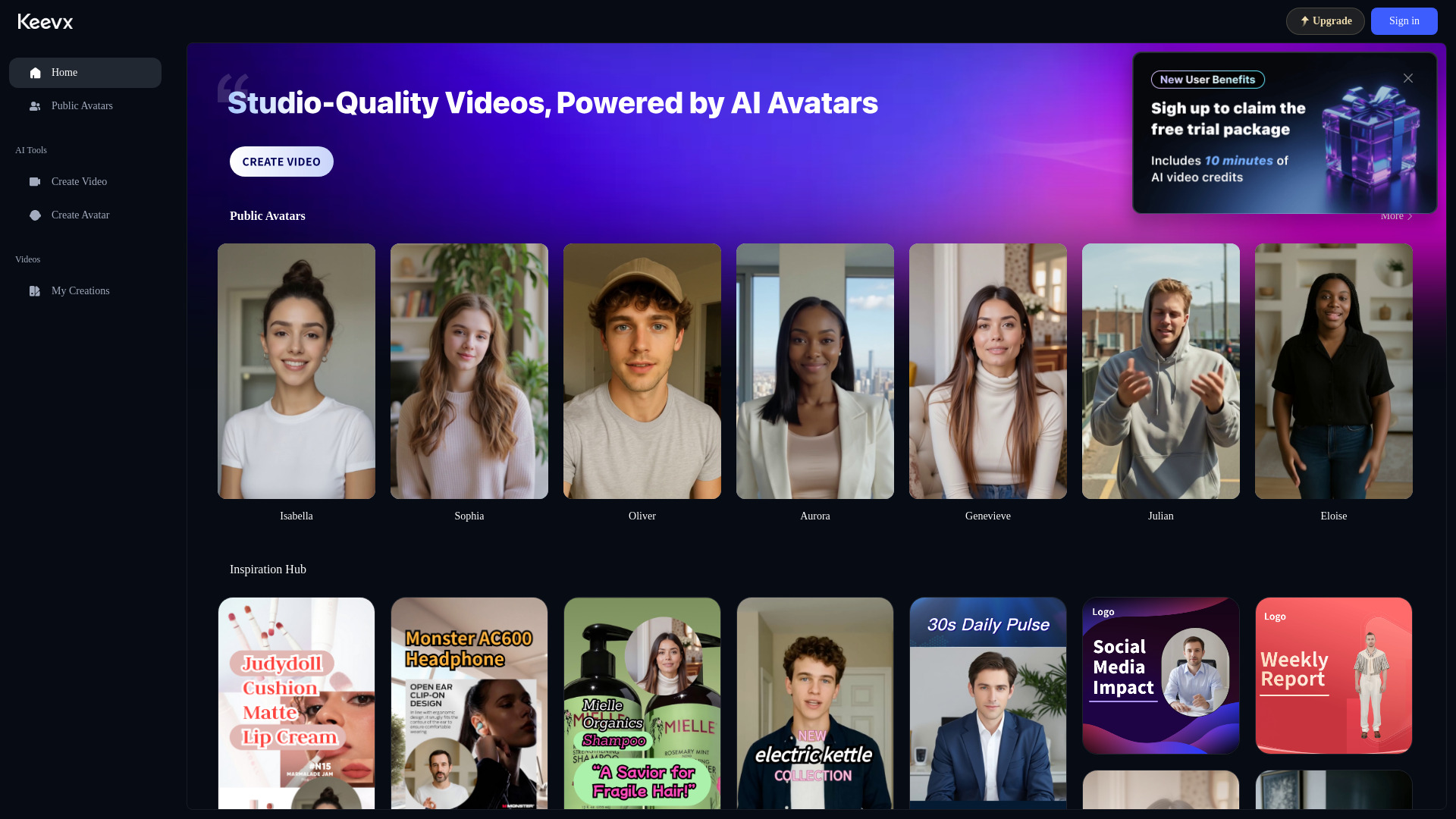
Keevx AI is an AI video generator built for fast, professional content creation. It lets users turn scripts into digital human videos for product promotions, corporate training, and social media marketing. With ready-made templates, realistic avatars, multilingual voiceovers, and auto-captions, Keevx AI streamlines the entire workflow from concept to export. Designed for overseas SMEs and individual creators, it delivers a user-friendly, high-efficiency way to produce on-brand videos without studios, cameras, or editing expertise.
Main Features of Keevx AI
- Digital human avatars: Create presenter-led videos with lifelike AI avatars and accurate lip-sync.
- Text-to-video: Paste a script to auto-generate scenes, timing, and narration.
- Multilingual voiceover: Natural TTS voices with multiple languages and accents for global audiences.
- Templates and layouts: Prebuilt designs for product demos, tutorials, ads, and explainers.
- Auto subtitles and captions: Generate and style subtitles for accessibility and engagement.
- Branding controls: Add logos, brand colors, fonts, and reusable brand kits.
- Social-ready exports: One-click aspect ratios for TikTok, Instagram, YouTube, and LinkedIn.
- Media library: Import product shots, screen recordings, or use stock assets to enrich scenes.
- Collaboration and revisions: Edit scripts, swap voices, or update scenes without reshoots.
- Cloud rendering: Fast, reliable exports without local performance constraints.
Who Can Use Keevx AI
Keevx AI suits SMEs, startups, and individual creators who need scalable video content. Typical users include marketing teams producing product promos, HR and L&D leaders building training modules, social media managers publishing short-form videos, ecommerce sellers creating listings and ads, agencies delivering client explainers, and educators or coaches packaging lessons.
How to Use Keevx AI
- Choose a template or start from a blank canvas.
- Paste or draft your script; use the script editor to refine key points.
- Select a digital human avatar and pick a voice and language.
- Add visuals: upload product shots, screen captures, or select stock media.
- Apply branding: logos, colors, fonts; configure captions and on-screen text.
- Set aspect ratio and duration for your target platform.
- Preview the video, adjust timing, scenes, or voice as needed.
- Render in the cloud and export or share directly to social channels.
Keevx AI Use Cases
Businesses use Keevx AI to produce product demo videos for ecommerce pages, corporate training modules for compliance and onboarding, and social media content such as reels, shorts, and ads. SaaS companies create feature walkthroughs, HR teams localize training with multilingual narration, real estate agents showcase property highlights, and educators deliver concise microlearning lessons.
Pros and Cons of Keevx AI
Pros:
- Fast text-to-video workflow with realistic digital humans.
- Multilingual voiceovers and captions for global reach.
- Brand-friendly templates and easy platform-specific exports.
- Cloud rendering and simple collaboration for teams.
- Reduces production costs versus traditional filming.
Cons:
- Avatar styles and voices may not match every brand’s tone.
- Advanced edits can be less flexible than full NLE software.
- High-volume rendering may depend on plan limits and queue times.
FAQs about Keevx AI
-
Can I create videos in multiple languages?
Yes, Keevx AI supports multilingual voiceovers and captions, making it easy to localize content.
-
Do I need editing experience to use it?
No. Templates, guided workflows, and auto-timing help beginners produce polished videos quickly.
-
Can I use my brand assets?
Yes, you can upload logos, set brand colors and fonts, and save them as reusable presets.
-
Is it suitable for corporate training?
Absolutely. You can build onboarding, compliance, and product training videos with avatars and subtitles.