
- Home
- AI Image Generator
- TattoosAI
TattoosAI
Open Website-
Tool Introduction:Generate unique tattoo designs in seconds from your ideas.
-
Inclusion Date:Nov 05, 2025
-
Social Media & Email:
Tool Information
What is TattoosAI
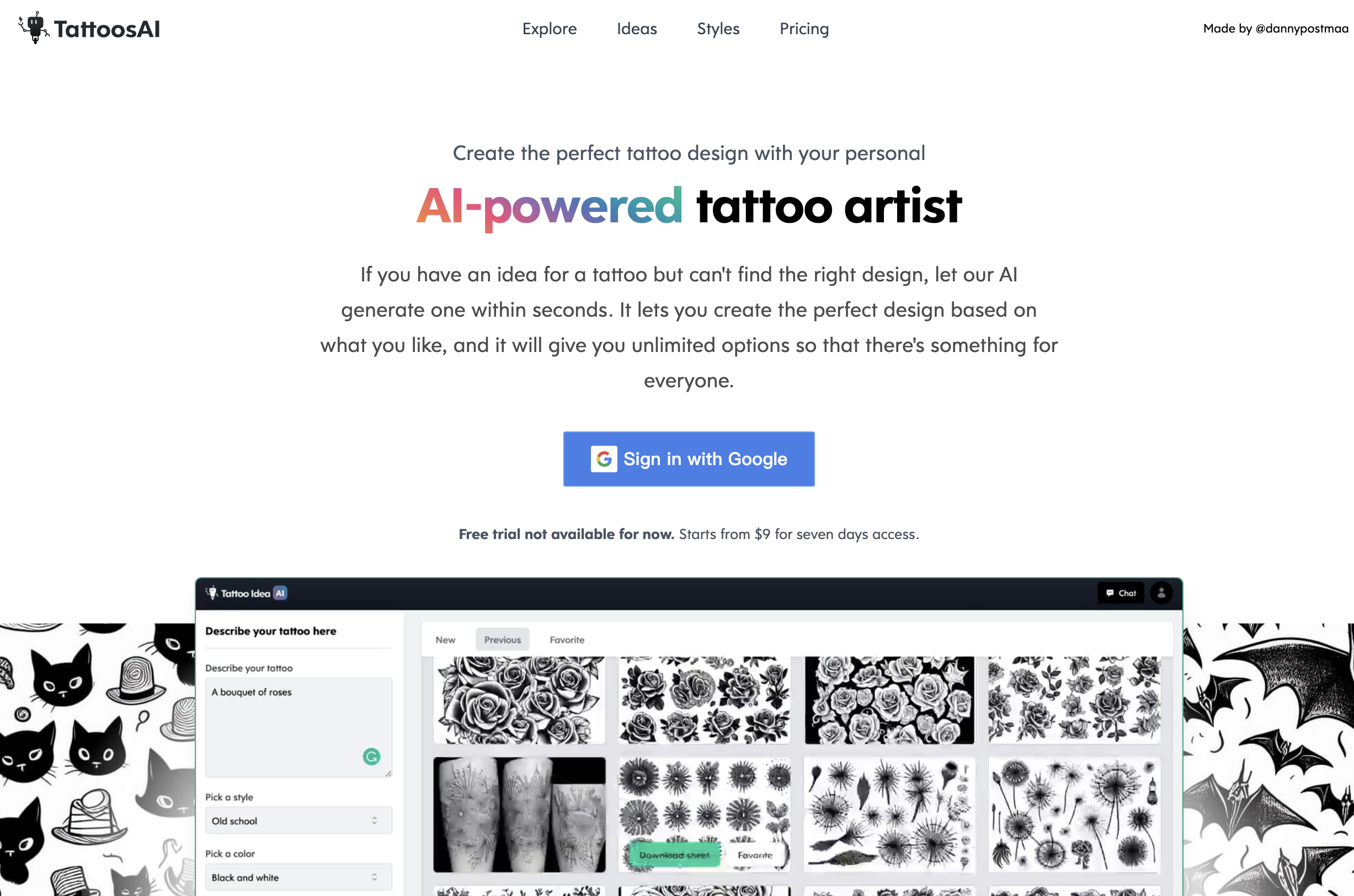
TattoosAI is an AI-powered tattoo generator that transforms your ideas into unique tattoo design concepts in seconds. Type your tattoo concept, choose a style and color palette, and the tool produces multiple variations to compare. With a broad style library—from minimalist and fine-line to traditional, geometric, blackwork, watercolor, and realism—it helps you quickly refine motifs, composition, and aesthetics. Fast iterations, intuitive controls, and flexible customization make it easier to discover a tattoo design you love and share it with your artist for final detailing.
Main Features of TattoosAI
- Text-to-design engine: Turn written ideas into tailored tattoo concepts with prompt-based generation.
- Style selector: Explore classic and modern tattoo styles such as traditional, realism, fine-line, geometric, blackwork, and watercolor.
- Color and tone controls: Pick color palettes or opt for grayscale/blackwork for cleaner lines and contrast.
- Multiple variations: Generate several design options at once to compare directions and pick favorites.
- Fast refinement: Adjust prompts, style strength, and details to iterate toward a perfect fit.
- User-friendly workflow: Clear interface designed for quick exploration and decision-making.
- Save and share: Keep design previews for reference and collaborate with your tattoo artist.
Who Can Use TattoosAI
TattoosAI suits anyone exploring custom tattoo designs, from first-time clients to seasoned collectors. Tattoo artists and studios can use it to speed up concepting, present style variations, and align with client expectations. it's helpful for planning matching tattoos, experimenting with cover-up directions, or testing motifs and placements before booking a session.
How to Use TattoosAI
- Visit TattoosAI and start a new design session.
- Enter your concept: subject, symbolism, desired size or placement cues, and any must-have elements.
- Select a tattoo style and color preference (e.g., blackwork, realism, watercolor).
- Generate designs and review the variations produced.
- Refine by tweaking prompts or style settings, then regenerate to compare results.
- Save your preferred previews and share them with a professional tattoo artist for final customization.
TattoosAI Use Cases
Individuals use TattoosAI to explore motifs and styles before committing to ink, compare minimalist vs. detailed looks, or visualize cover-up ideas. Tattoo artists employ it to prototype concepts during consultations and shorten the feedback loop. Studios leverage it to present cohesive sleeve directions, matching set variations, or theme-driven collections for faster client approvals.
Pros and Cons of TattoosAI
Pros:
- Rapid idea-to-design generation with multiple variations.
- Wide range of tattoo styles and color options.
- Easy refinement to hone details and composition.
- Beginner-friendly interface for non-designers.
- Improves communication between clients and tattoo artists.
Cons:
- AI outputs typically require a professional artist’s refinement before tattooing.
- Results depend on prompt quality; vague inputs may produce generic designs.
- Not a substitute for an artist’s unique hand or custom line work.
- No guarantee of exclusivity or one-of-a-kind ownership.
- Doesn’t account for individual skin tone, texture, or precise placement fit.
FAQs about TattoosAI
-
Is TattoosAI a replacement for a tattoo artist?
No. it's a concept and tattoo design generator that helps visualize ideas. A professional artist should finalize line work and placement.
-
What tattoo styles can it generate?
A variety, including traditional, realism, fine-line, geometric, blackwork, and watercolor, with adjustable color preferences.
-
How fast are the results?
Design variations typically appear within seconds, enabling quick iterations and comparisons.
-
Can I customize colors and details?
Yes. You can select color palettes and refine prompts to emphasize motifs, symbolism, and level of detail.
-
Are designs unique?
The AI generates fresh variations from your inputs, but exclusivity is not guaranteed. Always consult your artist for a final, personal touch.