
- Home
- AI Image Generator
- FeetGen
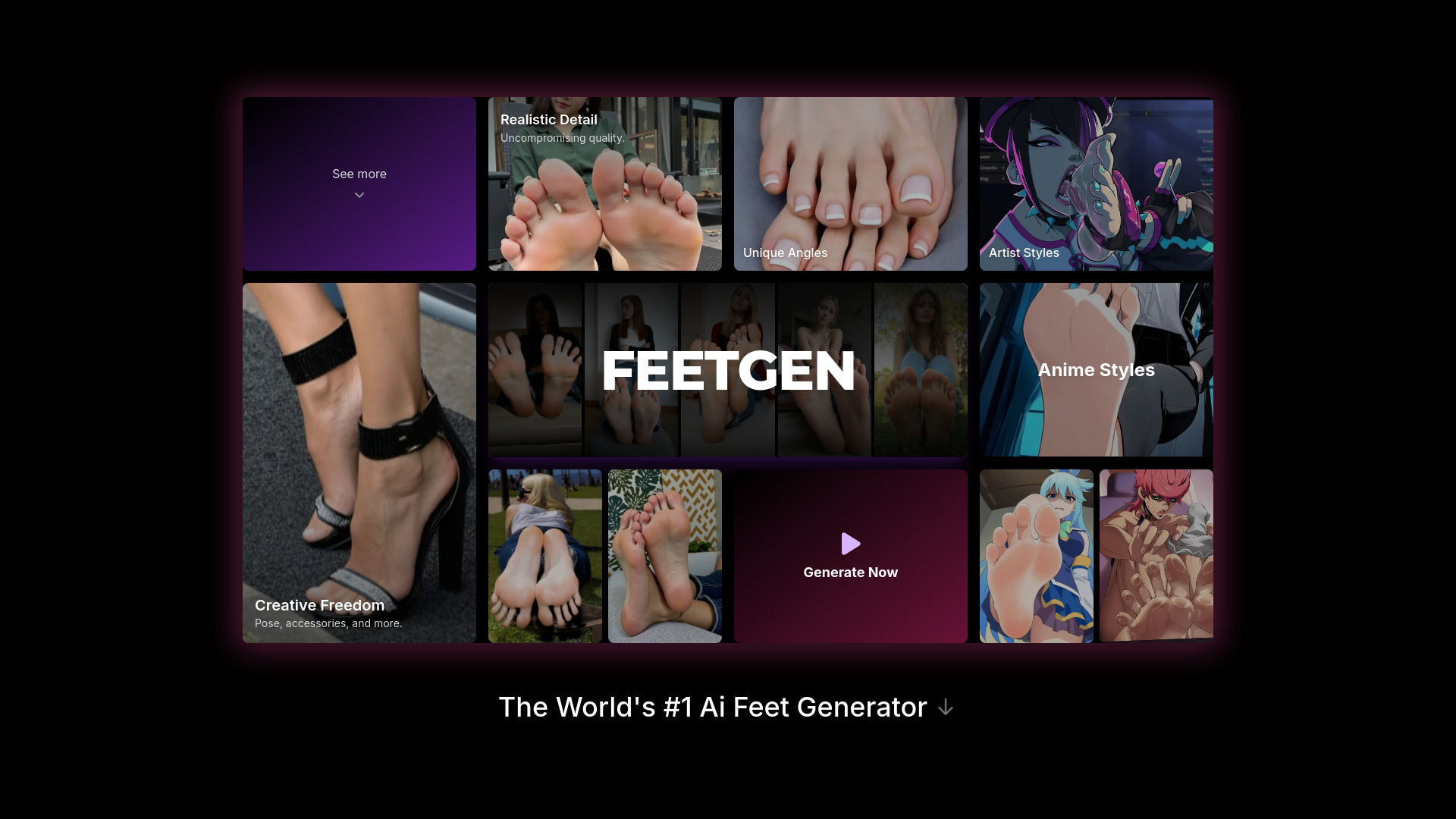
FeetGen
Open Website-
Tool Introduction:Realistic & anime foot images/videos from prompts; customize, animate, sell
-
Inclusion Date:Nov 05, 2025
-
Social Media & Email:


Tool Information
What is FeetGen AI
FeetGen AI is a niche generative platform that creates realistic and anime-style feet images and short videos from natural language prompts. It offers granular control over style, pose, camera angle, lighting, skin tone, accessories, and background, enabling consistent sets and brand-ready outputs. Beyond text-to-image, FeetGen AI can animate existing photos, upscale results, and batch render sequences. A built-in marketplace lets users package and sell AI versions of their feet with configurable licensing and monetization options for creators and brands.
Main Features of FeetGen AI
- Text-to-image and text-to-video: Generate photorealistic or anime feet visuals and short loops directly from prompts.
- Pose and camera control: Choose foot poses, angles, focal length, and framing for precise compositions.
- Style presets: Switch between realistic, anime, cel-shaded, 3D, or painterly styles for consistent aesthetics.
- Detail customization: Adjust skin tone, nail color, accessories (socks, anklets), materials, and backgrounds.
- Image-to-animation: Animate existing images with motion sliders, easing controls, and timing options.
- Batch generation: Produce multiple variations at once for exploration or series work.
- Upscaling and enhancement: Improve resolution, sharpness, and texture fidelity with AI upscalers.
- Prompt tools: Negative prompts, seeds, and guidance scales to refine outputs and reduce artifacts.
- Marketplace and monetization: Sell AI versions of your feet, manage licensing, and track sales analytics.
- Project management: Save presets, version outputs, and organize sets for repeatable workflows.
Who Can Use FeetGen AI
FeetGen AI suits digital artists, anime creators, content creators, footwear and accessories marketers, beauty and spa brands, stock content sellers, and social media managers who need niche visuals at scale. It also helps e-commerce teams produce consistent product-focused shots (socks, anklets, skincare) and creators looking to monetize curated AI sets through a built-in marketplace.
How to Use FeetGen AI
- Sign up and create a project, selecting realistic or anime as your base style.
- Enter a clear prompt describing pose, angle, lighting, background, and desired details.
- Refine with style presets, negative prompts, and seed settings for reproducibility.
- Choose pose and camera options; set resolution and aspect ratio.
- Generate previews; review variations and pick your preferred output.
- Enhance with upscaling, color adjustments, or texture refinement.
- Animate the image (optional) by setting motion paths, duration, and loop behavior.
- Export images or short videos; organize sets and metadata for reuse.
- List AI versions in the marketplace, set licensing terms, and publish.
FeetGen AI Use Cases
Footwear brands can prototype lifestyle images for campaigns, while accessories sellers showcase socks, anklets, and skincare before photoshoots. Anime artists create stylized character studies and pose references. Spas and beauty studios produce on-brand social visuals. Creators build themed content packs, then monetize AI feet sets via the marketplace. Stock libraries can expand niche categories with consistent, license-ready assets.
FeetGen AI Pricing
FeetGen AI commonly uses a credit-based or subscription model, with higher tiers offering increased generation limits, faster queues, and advanced features like batch rendering and commercial licensing. Many platforms provide limited free credits or a trial to test workflows, but availability and pricing can change. Check the official pricing page for current plans and any trial options.
Pros and Cons of FeetGen AI
Pros:
- Specialized generator with fine control over pose, angle, and style.
- Supports text-to-image, animation, and upscaling in one workflow.
- Batch generation accelerates exploration and series production.
- Marketplace provides built-in monetization and licensing management.
- Preset system helps maintain consistent aesthetics across sets.
Cons:
- Narrow focus may not suit general-purpose image needs.
- Output quality depends on prompt skill and model constraints.
- Queue times or credit costs can affect heavy production workflows.
- Licensing and usage rights require careful setup for commercial use.
FAQs about FeetGen AI
Does FeetGen AI support uploading my own images?
Yes, you can import images and add motion or enhancements before exporting.
Can I control specific poses and camera angles?
FeetGen AI includes pose selectors and camera settings for precise framing.
Is commercial use allowed?
Commercial usage depends on your plan and selected license; review terms before publishing.
What export formats are available?
Common outputs include high-resolution images (e.g., PNG/JPG) and short video loops (e.g., MP4 or GIF), depending on settings.