
- Home
- AI Image Generator
- Appy Pie Design
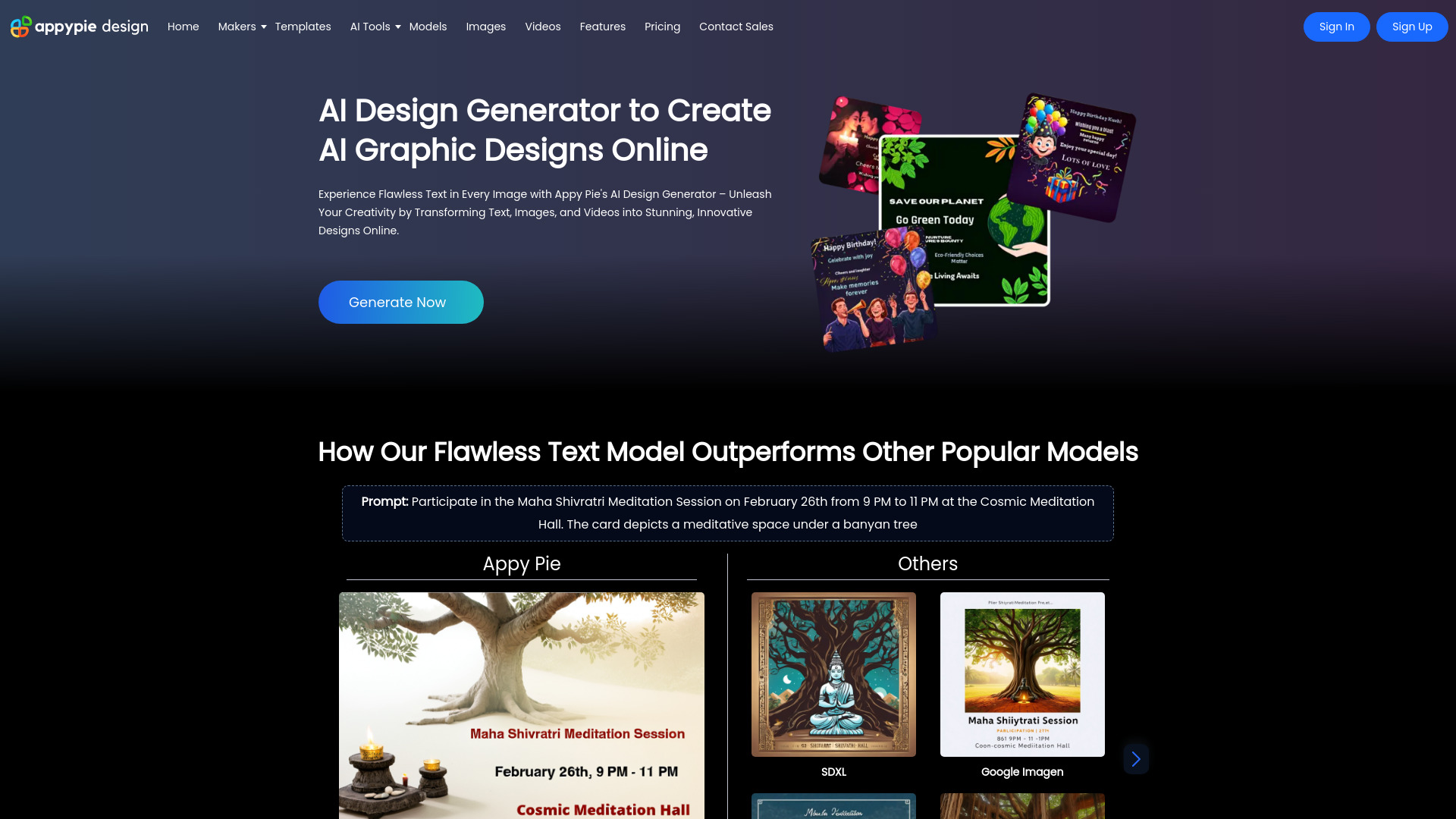
Appy Pie Design
Open Website-
Tool Introduction:AI design suite for fast visuals—text, image, logo, video; templates
-
Inclusion Date:Oct 28, 2025
-
Social Media & Email:


Tool Information
What is Appy Pie Design AI
Appy Pie Design AI is an AI-powered design platform that helps anyone turn ideas into ready-to-share visuals in minutes. With a free AI design generator, it creates graphics from text, images, or video inputs and includes tools for AI image generation, animation, video creation, and logo design. A browser-based editor and a rich template library for social media, online ads, business, events, and academic needs accelerate production. Users can refine prompts, customize layouts, colors, and typography, then export in popular formats for marketing, content, and brand communication across channels.
Appy Pie Design AI Key Features
- Text-to-image generation: Turn concise prompts into original images, illustrations, and backgrounds in seconds.
- AI video and animation tools: Create short videos or animated assets from text, images, and clips for social posts and ads.
- AI logo maker: Generate logo concepts in multiple styles and refine them with colors, fonts, and layout controls.
- Template library: Ready-made templates for social media, online advertising, business, sales & marketing, events, and academic use.
- Drag-and-drop editor: Edit layouts, typography, color palettes, and layers with an intuitive, no-code interface.
- Multi-format output: Export visuals in popular image and video formats with platform-ready aspect ratios.
- Cross-channel presets: Quickly adapt designs for Instagram, Facebook, YouTube, presentations, banners, and more.
- Browser-based workflow: Work from any device without installation; generate, edit, and download in one place.
- Free AI design generator: Start fast with no upfront cost and scale with paid options as needs grow.
Who Should Use Appy Pie Design AI
Ideal for marketers, small business owners, social media managers, content creators, educators, event organizers, and startups who need rapid visuals without a steep learning curve. It also suits designers who want to prototype concepts quickly, produce variations for A/B tests, or streamline everyday creative tasks across images, motion graphics, and short-form video.
How to Use Appy Pie Design AI
- Sign in and open the AI design generator or the editor.
- Choose a project type or template (e.g., Instagram post, ad, logo, video) or start from scratch.
- Select an AI tool: text-to-image, logo design, video creation, or animation.
- Enter a clear prompt, choose style/aspect ratio/duration as needed, and optionally upload your images or clips.
- Generate results, review, and iterate by refining prompts or regenerating alternatives.
- Customize in the editor: adjust layout, fonts, colors, icons, transitions, and timing.
- Apply platform presets to resize or reformat for different channels.
- Preview, then export your design in the desired format and resolution.
Appy Pie Design AI Industry Use Cases
Ecommerce brands produce product promos and shoppable social posts with text-to-image backgrounds and quick video loops. Startups generate logo options and launch visuals for landing pages and ad campaigns. Educators assemble animated explainer slides and class announcements. Event teams design flyers, stories, and short teasers. Agencies and freelancers create fast concept boards, then refine into final assets for multichannel campaigns.
Appy Pie Design AI Pricing
Appy Pie Design AI offers a free AI design generator to get started. Paid subscriptions are available for expanded features such as higher export quality, longer videos, premium templates or assets, commercial-use allowances, and increased usage limits. Availability and specifics can vary by plan; users can begin on the free tier and upgrade as production needs grow.
Appy Pie Design AI Pros and Cons
Pros:
- All-in-one workflow for images, logos, animation, and short videos.
- Fast idea-to-visual turnaround with prompt-based generation.
- Extensive templates across social, ads, business, and events.
- Beginner-friendly editor; no design experience required.
- Browser-based; no installation or complex setup.
Cons:
- AI outputs may require manual editing for brand polish.
- Less granular control than advanced professional suites.
- Result quality can vary based on prompt clarity and inputs.
- Free tier may include lower resolution, watermarks, or usage limits.
- Complex projects can face processing queues or time limits.
Appy Pie Design AI FAQs
-
Is Appy Pie Design AI free?
Yes, a free AI design generator is available. Paid plans unlock higher-quality exports, additional features, and broader usage allowances.
-
Do I need design experience?
No. Templates, presets, and AI-assisted tools make it easy to create polished visuals without prior design skills.
-
What formats can I export?
You can export to popular image and video formats such as PNG, JPG, MP4, and GIF. Available options may vary by project type and plan.
-
Can I use outputs commercially?
Commercial use typically depends on your subscription and the licenses of any templates or assets used. Review plan terms and asset licenses before publishing.
-
Does it run in the browser?
Yes. Appy Pie Design AI is browser-based, so you can generate, edit, and download without installing software.
-
How do I get better AI results?
Use clear, specific prompts with style cues (e.g., “minimalist, bold typography, high contrast”), set aspect ratios, and iterate by refining details.
-
Can I upload my own assets?
Yes. You can upload your images, logos, and clips to personalize templates and guide AI-generated outputs.