
- Home
- AI Image Generator
- AI Gallery
AI Gallery
Open Website-
Tool Introduction:AI Gallery: AI art from your images fast; get tips, memberships.
-
Inclusion Date:Nov 09, 2025
-
Social Media & Email:
Tool Information
What is AI Gallery
AI Gallery is an AI-powered platform that blends technology and creativity to transform your images into unique works of art in seconds. Its AI art generator converts photos into stylized visuals with adjustable effects, letting you refine results for your aesthetic or brand. Beyond creation, AI Gallery functions as a community hub where artists can showcase their portfolios and receive support through donations, tips, and memberships, making it a practical space to create, share, and sustain their creative practice.
Main Features of AI Gallery
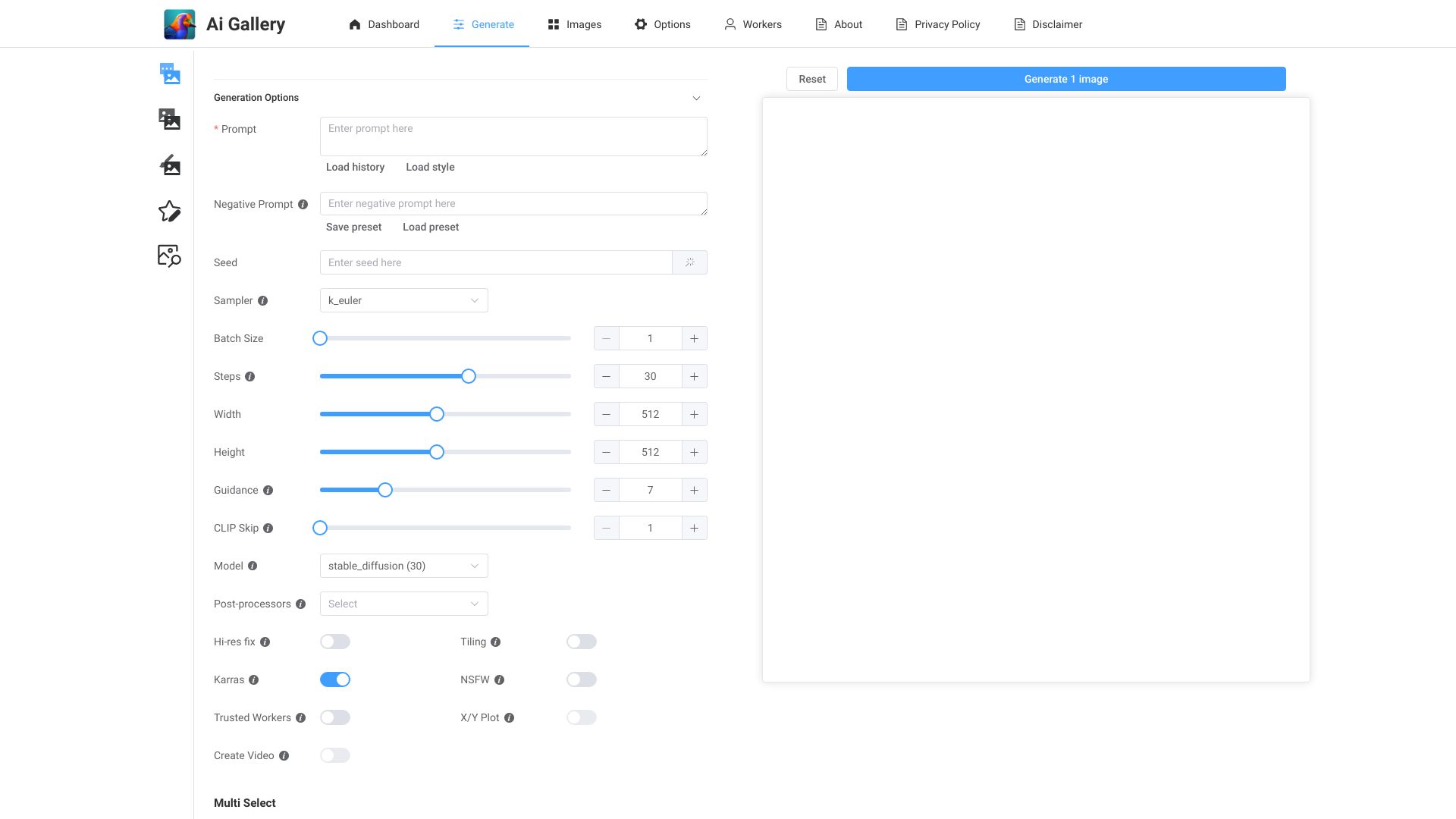
- Image-to-Image AI Art Generator: Turn any photo into artwork with style-driven transformations and creative filters.
- Customizable Controls: Tweak style strength, detail, and output options to match your visual goals.
- Fast Generation: Produce high-quality results in seconds for rapid experimentation and iteration.
- Variations & Refinement: Generate multiple versions, compare outcomes, and fine-tune until you’re satisfied.
- High-Resolution Downloads: Export polished images suitable for sharing or further editing.
- Creator Profiles & Galleries: Showcase your portfolio and build an audience in a curated gallery.
- Monetization Tools: Receive tips, donations, and membership support directly from fans and patrons.
- Community Discovery: Engage with other creators, surface trending artworks, and grow visibility.
Who Can Use AI Gallery
AI Gallery is ideal for digital artists, illustrators, photographers, designers, content creators, and social media managers who need fast, high-quality visuals. Educators and students can use it to explore creative AI workflows, while marketers and small businesses can repurpose product shots or brand assets into compelling, on-brand imagery. Hobbyists benefit from an easy way to reimagine personal photos and share them with a supportive community.
How to Use AI Gallery
- Create an account and set up your creator profile.
- Upload a source image you want to transform.
- Choose a style or effect and adjust parameters like intensity or detail.
- Generate your artwork and preview the result.
- Iterate with variations or refinements until you achieve the desired look.
- Download the final image in high resolution or publish it to your gallery.
- Enable tips and memberships to let supporters back your work.
AI Gallery Use Cases
Brands and marketers can quickly turn product photos into eye-catching campaign assets and social posts. Creators design album covers, posters, thumbnails, and stream overlays from existing images. Game and film teams convert concept sketches and photographs into mood art for pitches. Educators demonstrate AI image transformation in class projects. Photographers reimagine portraits or landscapes with artistic styles, then share and monetize through memberships and fan tips.
Pros and Cons of AI Gallery
Pros:
- Fast, high-quality image-to-image AI art generation.
- Simple workflow with adjustable style controls for precision.
- Built-in audience tools: galleries, discovery, and creator profiles.
- Native monetization via donations, tips, and memberships.
- High-resolution downloads suitable for publishing or editing.
Cons:
- Results can vary by source image quality and chosen style.
- May require multiple iterations to reach a specific aesthetic.
- Style options and controls can be less granular than advanced desktop workflows.
- Online access required for generation and community features.
FAQs about AI Gallery
-
Can I generate art from my own photos?
Yes. Upload an image and apply styles to transform it into an AI-generated artwork.
-
Do I need design skills to use AI Gallery?
No. The interface is beginner-friendly, with simple controls for style intensity and refinements.
-
How do tips and memberships work?
Fans can send one-time tips or subscribe to creator memberships to provide ongoing support.
-
Can I share my creations publicly?
Yes. Publish to your profile gallery for community discovery, or download and share on social channels.
-
Is the output suitable for printing?
You can export high-resolution images; final print quality depends on size, resolution, and your print setup.