
- Home
- AI Art Generator
- FLORA
FLORA
Open Website-
Tool Introduction:No-code AI canvas to drag, connect models, build creative workflows.
-
Inclusion Date:Oct 21, 2025
-
Social Media & Email:
Tool Information
What is FLORA AI
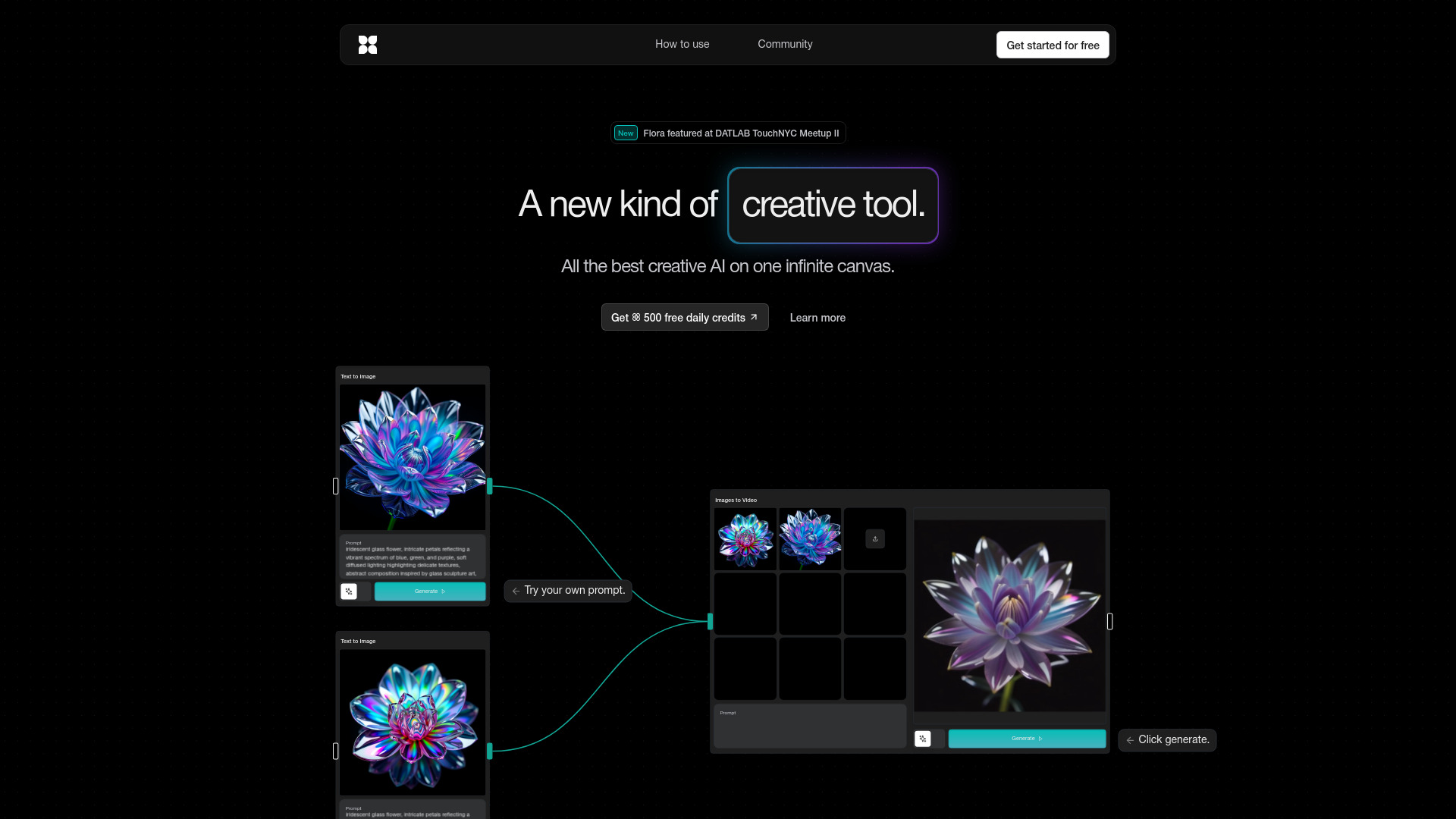
FLORA AI is an intelligent generative canvas that makes creation accessible regardless of technical skill or hardware. With a visual, drag-and-drop interface, you can connect hand-curated text, image, and video models to build custom, no-code workflows. The platform thoughtfully links creative AI tools so you can ideate, iterate, and explore with precise control over prompts, parameters, and outputs. By unifying best-in-class models on one canvas, FLORA helps teams prototype concepts faster, refine style, and bring ideas to life end to end.
FLORA AI main features
- Visual workflow builder: Drag, drop, and connect AI models on a node-based canvas to design reproducible creative pipelines.
- Curated multimodal models: Access hand-selected text, image, and video models to cover ideation, generation, and refinement tasks.
- No-code creative control: Adjust prompts, seeds, and parameters for fine-grained control without writing code.
- Model chaining: Combine models across modalities (e.g., text-to-image to video) to move from concept to polished outputs.
- Rapid iteration: Explore variations quickly by swapping models, tweaking settings, and rerunning nodes.
- Hardware-agnostic: Create from any device; workflows run without requiring specialized local hardware.
- Reusable workflows: Save and reuse canvas setups as templates to standardize processes.
- Exportable outputs: Export generated assets for downstream editing and publishing.
Who is FLORA AI for
FLORA AI suits designers, marketers, content creators, and indie makers who want a no-code AI workflow builder with high creative control. Agencies and product teams can prototype concepts and style guides quickly. Educators and students can explore multimodal AI safely on a guided, visual canvas. Filmmakers, game artists, and social media managers can chain text, image, and video models to move from ideas to production-ready assets faster.
How to use FLORA AI
- Create an account and start a new canvas.
- Browse the curated library of text, image, and video models and pick those that match your goal.
- Drag selected models onto the canvas and connect nodes to map your workflow.
- Configure prompts, seeds, and parameters; add reference text or imagery as needed.
- Run the workflow to generate outputs, then refine by adjusting settings or swapping models.
- Iterate quickly to explore styles and variations, keeping the versions that best fit your brief.
- Save the workflow as a template and export final assets for use in your tools of choice.
FLORA AI industry use cases
Marketing teams can prototype campaign concepts by chaining copy generation to text-to-image for social visuals. Product designers can turn requirements into mood boards, concept sketches, and styled renders. Media teams can assemble story beats by moving from scripts to frames and short clips. Educators can demonstrate multimodal AI pipelines in a controlled, visual environment. Agencies can pitch faster by iterating on brand tones, layouts, and video snippets in one connected canvas.
FLORA AI pros and cons
Pros:
- Accessible, no-code generative AI canvas for rapid experimentation.
- High creative control through modular, node-based workflows.
- Curated multimodal models reduce setup time and complexity.
- Hardware-agnostic approach enables creation from virtually any device.
- Encourages reproducible processes with reusable templates.
Cons:
- Scope depends on the available curated models and connections.
- Complex graphs may introduce a learning curve for new users.
- Output quality varies by model and prompt design; iteration is often required.
- Stable internet access is necessary for running and managing workflows.
FLORA AI FAQs
-
Is coding required to use FLORA AI?
No. FLORA AI provides a no-code, drag-and-drop interface to build and run workflows.
-
Do I need a powerful GPU?
No. The platform is designed to work regardless of your local hardware, enabling creation from standard devices.
-
What types of models can I connect?
You can connect curated text, image, and video models and chain them to move from ideation to final outputs.
-
Can I control prompts and parameters?
Yes. You can fine-tune prompts, seeds, and other settings to steer style, quality, and variability.
-
Can I reuse my workflows?
Yes. Workflows can be saved as templates to streamline future projects and maintain consistency.