
- Home
- AI Image Generator
- Tensor Art
Tensor Art
Open Website-
Tool Introduction:Free AI image generator & model hub: run SDXL, share LoRA, workflows.
-
Inclusion Date:Oct 21, 2025
-
Social Media & Email:


Tool Information
What is Tensor Art AI
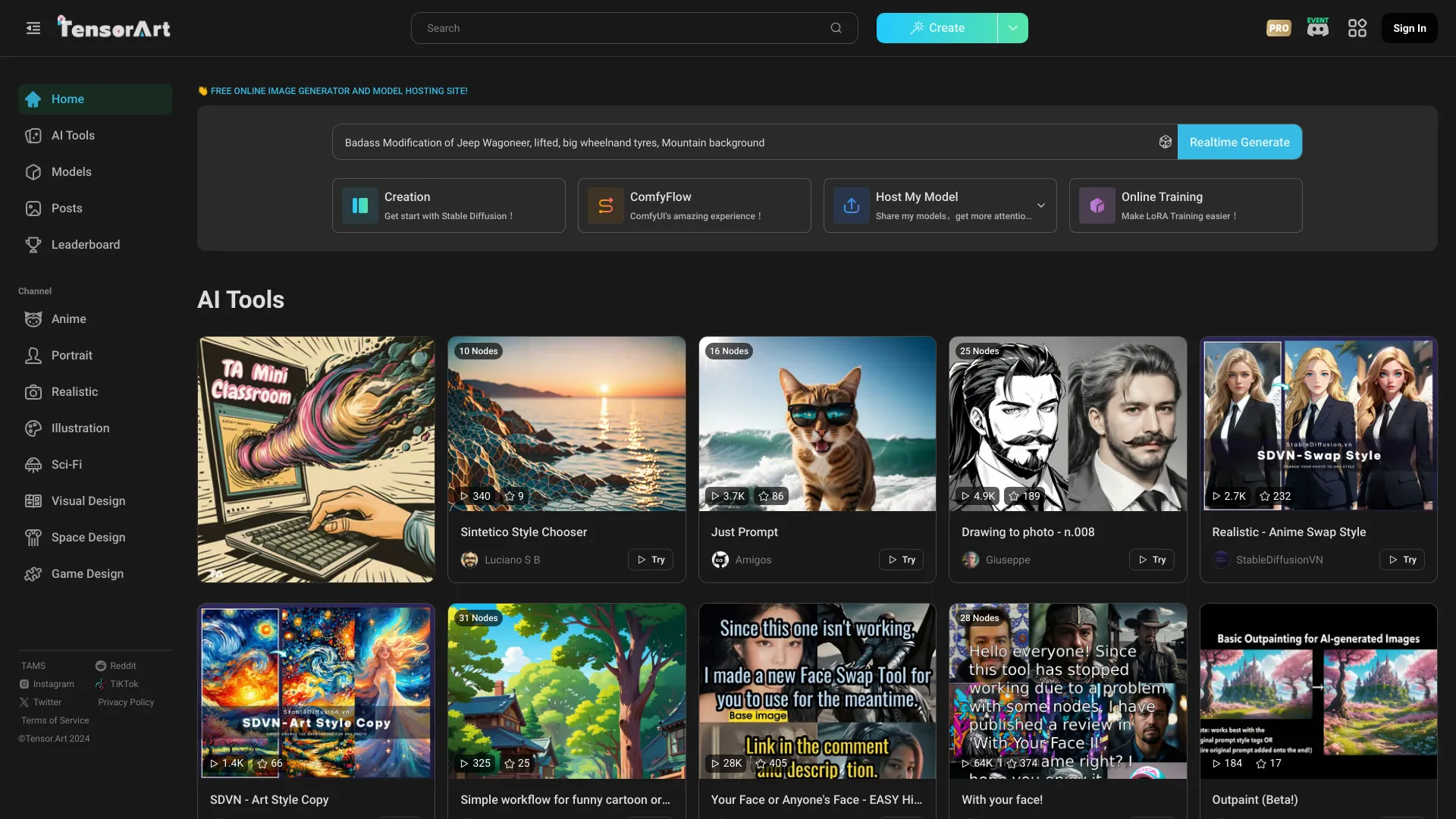
Tensor Art AI is a free, browser-based image generator and AI model hosting platform for creating and sharing visual models online. It supports uploading and downloading community models such as Checkpoints, Embeddings, ControlNets, and LoRAs, and includes base models like Stable Diffusion 1.5 and SDXL. With text-to-image, image-to-image, real-time drawing, workflow modes, and ComfyUI running in the cloud, it streamlines idea-to-output creation. Curated categories—Real World, Anime, Illustration, Sci‑Fi, Games & 3D, Advertising Design, and Architecture—help users discover models and generate images instantly.
Tensor Art AI Key Features
- Free online image generation: Run Stable Diffusion 1.5 and SDXL models in the browser without local installation or a GPU.
- Model hosting and sharing: Upload, host, and download Checkpoints, Embeddings, ControlNets, and LoRAs to reuse or remix.
- Text-to-image and image-to-image: Create visuals from prompts or transform existing photos and sketches with fine control.
- Real-time drawing and classic workbench: Sketch, iterate, and refine outputs with interactive tools and adjustable parameters.
- Workflow modes and ComfyUI online: Build node-based pipelines in the cloud for advanced, repeatable generation workflows.
- Cloud deployment: Run models and workflows server-side for consistent performance and accessibility.
- Online training: Train and customize models directly on the platform to adapt styles or domains.
- Curated categories: Explore Real World, Anime, Illustration, Sci‑Fi, Games & 3D, Advertising Design, and Architecture to find suitable models and styles.
Who Should Use Tensor Art AI
Tensor Art AI suits designers, illustrators, concept artists, game developers, marketers, architects, 3D creators, educators, and hobbyists who need a fast, cloud-based AI image generator and model sharing platform. it's ideal for rapid prototyping, style exploration with LoRA and ControlNet, and collaborative workflows without managing local infrastructure.
How to Use Tensor Art AI
- Sign in and browse categories or the model library to pick a base model (e.g., Stable Diffusion 1.5 or SDXL) or a community LoRA/Checkpoint.
- Choose a mode: text-to-image, image-to-image, real-time drawing, classic workbench, or ComfyUI workflow.
- Enter your prompt, negative prompt, and adjust settings such as sampler, steps, CFG, resolution, seed, and ControlNet/LoRA weights.
- (Optional) Upload a reference image for image-to-image or add ControlNet maps (pose, depth, edges) for stronger structural guidance.
- Run the generation, review outputs, and iterate by refining prompts, parameters, or swapping models.
- Save, download, or publish results. Upload and host your own models with metadata for community use.
- (Advanced) Build node-based pipelines in ComfyUI online or start online training to customize models.
Tensor Art AI Industry Use Cases
Marketing teams generate ad concepts and banner variations quickly across formats. Game studios produce concept art, character sheets, and environment moods using SDXL plus ControlNet. Architects and interior designers create iterative visualizations from sketches via image-to-image. Anime and illustration creators craft style-consistent storyboards using LoRA models. E‑commerce sellers transform product photos into lifestyle imagery for catalogs and social campaigns.
Tensor Art AI Pricing
Tensor Art AI offers free online image generation and model hosting. Availability, quotas, or queues may vary by demand and resource usage. For the latest details about limits or any optional resources, refer to the official service information.
Tensor Art AI Pros and Cons
Pros:
- Free, browser-based AI image generator with no local setup required.
- Broad model support: Checkpoints, Embeddings, ControlNets, and LoRAs.
- Includes Stable Diffusion 1.5 and SDXL base models.
- ComfyUI online workflows for advanced, reproducible pipelines.
- Online training and cloud deployment for customization and scale.
- Curated categories for easier discovery and style exploration.
Cons:
- Image quality depends on prompts, chosen models, and parameter tuning.
- Possible usage limits or queues during peak demand.
- Requires a stable internet connection; offline use is not supported.
- Licensing and usage rights for community-shared models may vary; review before commercial use.
- Training and complex workflows can be resource-intensive and time-consuming.
Tensor Art AI Popular Questions
-
Is Tensor Art AI free to use?
Yes. The platform provides free online image generation and model hosting, with availability or quotas subject to system load.
-
Do I need a GPU or to install anything locally?
No. Everything runs in the browser with compute handled in the cloud.
-
Which models are supported?
You can use Stable Diffusion 1.5 and SDXL, plus community Checkpoints, Embeddings, ControlNets, and LoRAs.
-
Can I upload and share my own models?
Yes. Upload your models with descriptions and licensing details so others can discover and use them.
-
Does it support image-to-image and ControlNet?
Yes. You can guide generations using a source image and ControlNet maps for pose, depth, or edges.
-
What is ComfyUI online used for?
ComfyUI online lets you build node-based workflows in the cloud, enabling reproducible pipelines and advanced control.