
- Home
- AI Blog Generator
- QuickCreator
QuickCreator
Open Website-
Tool Introduction:QuickCreator AI crafts SEO blogs using live data, citations, and auto links.
-
Inclusion Date:Nov 05, 2025
-
Social Media & Email:


Tool Information
What is QuickCreator AI
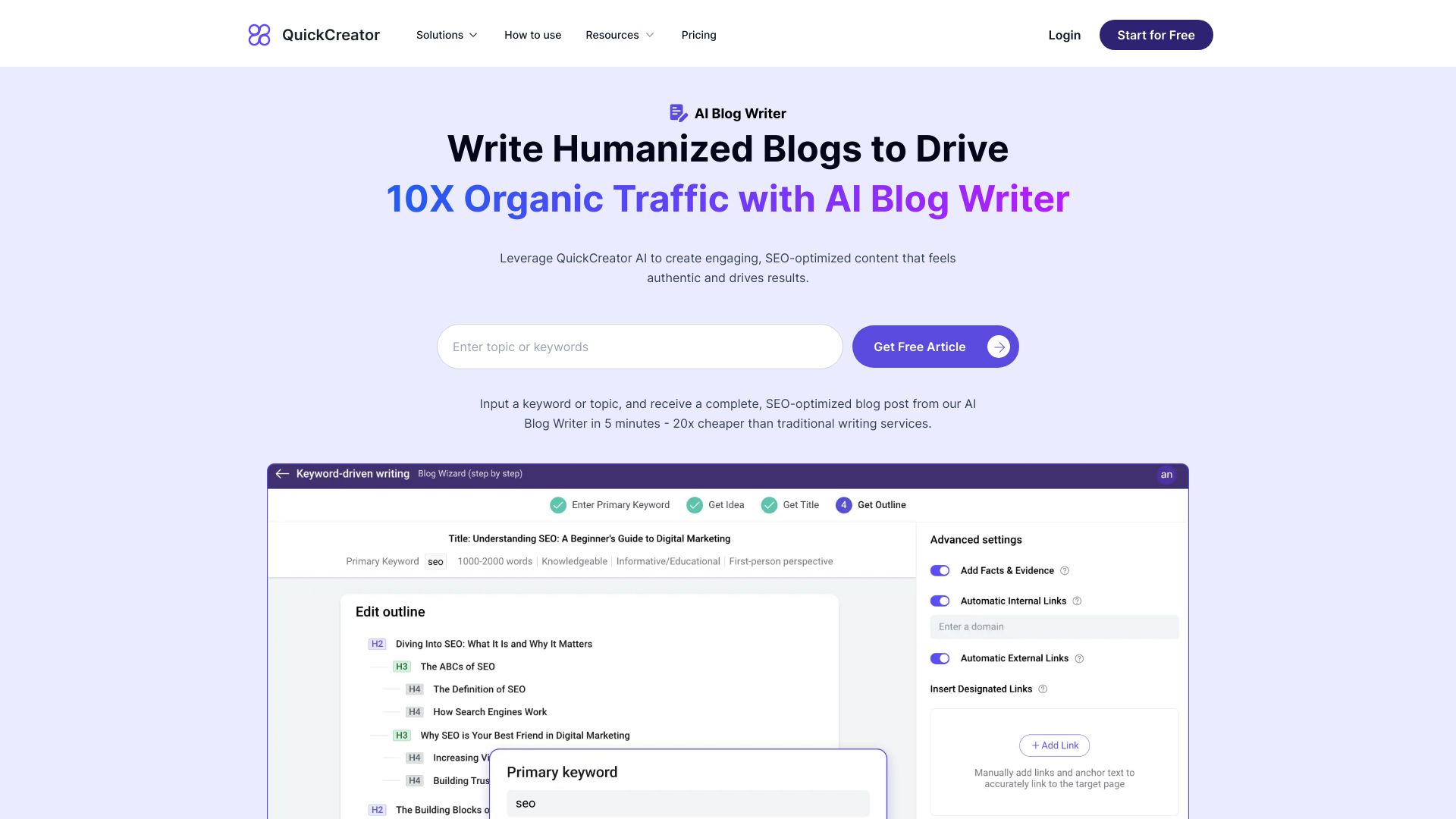
QuickCreator AI is an AI blog writer designed to produce human-like, SEO-optimized articles that attract sustainable organic traffic. It blends AI-powered research with real-time data and verified citations to deliver accurate, engaging content. The platform streamlines content operations by automating outlines, on-page SEO, and internal/external link insertion, while allowing full brand voice customization. With a ready-to-use blog platform and smooth publishing workflow, teams can plan, write, optimize, and publish in one place—reducing handoffs, improving consistency, and accelerating time to publish and rank.
Main Features of QuickCreator AI
- AI-Powered Research: Pulls real-time data and surfaces verified citations to support claims and keep posts current.
- SEO Optimization: Assists with keyword targeting, on-page SEO, titles, meta descriptions, headers, and readability improvements.
- Brand Voice Customization: Trains content to match your tone, style, and terminology for consistent messaging.
- Automatic Link Insertion: Suggests and inserts internal and external links with relevant anchor text to strengthen site structure and context.
- Outline and Brief Generator: Builds content briefs, section outlines, FAQs, and talking points based on SERP and topic analysis.
- Ready-to-Use Blog Platform: Publish directly without extra setup, with scheduling and basic analytics to manage posts.
- Collaboration Tools: Support for multi-user editing, comments, and approvals to standardize workflows across teams.
- Content Refresh: Identifies opportunities to update and expand existing posts using the latest data and sources.
- Quality Controls: Options for originality checks and citation review to enhance accuracy and trust.
Who Can Use QuickCreator AI
QuickCreator AI suits content marketers, SEO specialists, and blog editors who need scalable, search-focused content. Agencies can manage multiple clients and brand voices efficiently. SaaS and B2B companies can create product-led, citation-backed articles. Ecommerce teams can publish category and how-to content with strong internal linking. Solo bloggers, startups, and publishers can accelerate output without sacrificing quality or brand consistency.
How to Use QuickCreator AI
- Set up your workspace and choose the built-in blog platform or connect to your publishing setup.
- Define your target topic or keyword, audience, and goals; configure brand voice preferences.
- Run AI-powered research to gather real-time data and proposed citations; review the brief and outline.
- Generate a draft post; refine tone, structure, and evidence while verifying cited sources.
- Enable automatic internal/external link suggestions; adjust anchor text and link destinations.
- Apply on-page SEO: optimize title tags, meta descriptions, headings, and semantic structure.
- Publish or schedule directly; alternatively, export to your CMS and complete final checks.
- Monitor performance and use the content refresh flow to update posts with new data over time.
QuickCreator AI Use Cases
Marketing teams use QuickCreator AI to build topical clusters that improve keyword coverage and internal linking. SaaS companies publish comparison pages and thought leadership backed by verified citations. Ecommerce brands create how-to guides and category articles that drive discovery and link to product pages. Agencies scale blog production across clients with consistent brand voice. Publishers and editors use real-time research to keep evergreen content updated and accurate.
QuickCreator AI Pricing
QuickCreator AI is delivered as a subscription-based SaaS with tiered plans that scale by features and usage (for example, monthly content volume or collaboration needs). For the latest plan details, feature limits, and any trial or free options, please refer to the official website.
Pros and Cons of QuickCreator AI
Pros:
- Real-time data and verified citations improve credibility and freshness.
- Automatic internal and external linking streamlines SEO and site architecture.
- Brand voice controls keep multi-author content consistent.
- All-in-one blog platform simplifies creation-to-publish workflows.
- Structured briefs and outlines reduce research time and rework.
Cons:
- Human review is still required for fact-checking and editorial polish.
- Auto-linking may need tuning to avoid overlinking or irrelevant anchors.
- Learning curve for configuring brand voice, SEO settings, and workflows.
- Native integrations may not cover every external CMS or analytics stack.
FAQs about QuickCreator AI
Does QuickCreator AI generate articles from scratch?
Yes. It creates drafts from a brief or keyword, with options to control outline, tone, and depth.
Can I customize the brand voice?
Yes. You can set tone, style, and terminology so every article matches your brand guidelines.
How are citations handled?
The research process surfaces sources and verified citations you can review and include to support key claims.
Does it handle internal and external links?
It suggests and inserts relevant links with editable anchor text, helping strengthen SEO and user navigation.
Can I publish without a separate CMS?
Yes. The built-in blog platform lets you publish or schedule directly; you can also export for external CMS workflows.