
- Home
- AI Text-to-Speech
- OpenAI fm
OpenAI fm
Open Website-
Tool Introduction:Interactive TTS demo for devs: test OpenAI API voices and styles.
-
Inclusion Date:Oct 21, 2025
-
Social Media & Email:
Tool Information
What is OpenAI fm
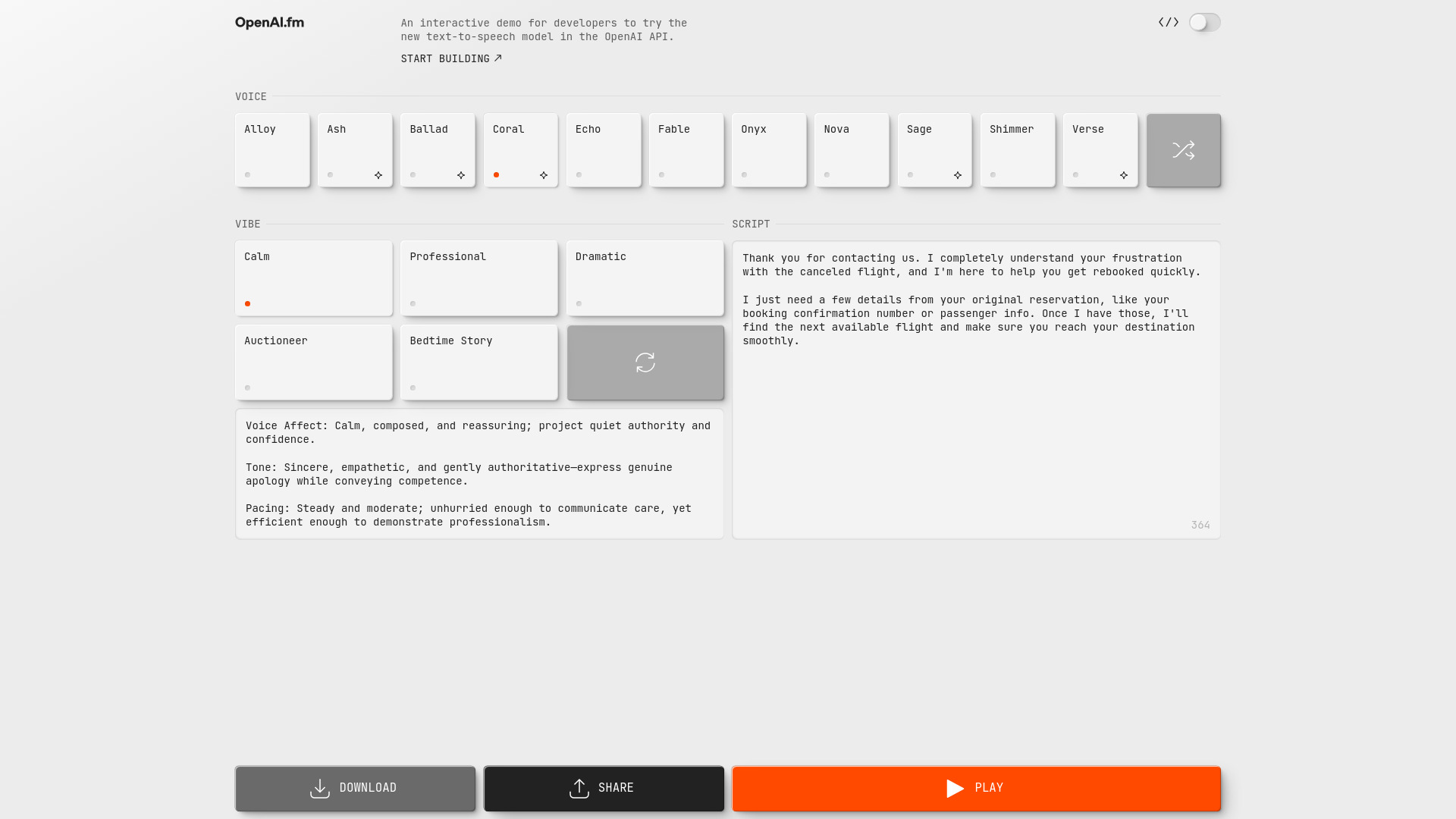
OpenAI fm is an interactive, browser-based demo that lets developers explore OpenAI’s latest text-to-speech capabilities through the OpenAI API. It provides a quick way to prototype speech synthesis, compare voices and speaking styles, and tune settings such as rate, pitch, and emotion to match different use cases. By converting text to natural-sounding audio in seconds, the demo helps teams validate UX, test latency and quality, and gather samples before integrating TTS into production apps, assistants, games, and learning experiences.
OpenAI fm Features
- Instant TTS preview: Enter text, choose a voice, and play back natural-sounding speech in seconds.
- Voice and style controls: Adjust speaking rate, pitch, and emphasis to evaluate different tones and delivery.
- Scenario-oriented testing: Try narration, dialogue, or system prompts to gauge clarity and prosody for your use case.
- API-ready experimentation: Explore parameters you can later mirror when calling the OpenAI text-to-speech API.
- Browser-based workflow: No installation required; iterate quickly and share audio samples with stakeholders.
- Quality and latency checks: Assess output quality and responsiveness before building full integrations.
OpenAI fm Suitable Users
OpenAI fm is ideal for developers, product managers, UX writers, content teams, and educators who need to evaluate speech synthesis quality and select appropriate voices before coding. It also suits prototyping for chatbots, e-learning narration, accessibility readouts, podcasts, and game dialogue where fast iteration and stakeholder feedback are critical.
OpenAI fm Usage Steps
- Open the demo (OpenAI.fm) in a modern browser.
- Enter or paste the text you want to convert to speech.
- Select a voice and adjust style parameters such as rate and pitch.
- Generate and listen to the audio preview; note clarity, pacing, and tone.
- Iterate on text and settings until the result matches your target experience.
- Document the chosen parameters and replicate them in your OpenAI API calls.
OpenAI fm Industry Use Cases
Product teams use OpenAI fm to validate voice and tone for customer support assistants; educators test narration styles for course modules; media teams explore voices for trailers and short-form content; gaming studios prototype character dialogue; and accessibility teams assess readability and pacing for screen-reader-like outputs before moving to API-based deployment.
OpenAI fm Pricing
OpenAI fm is presented as an interactive demo for evaluation. Production use of text-to-speech is billed under the OpenAI API pricing for applicable models. Availability, usage limits, and any demo-related access may change over time; consult the official OpenAI pricing and documentation pages for current details.
OpenAI fm Pros and Cons
Pros:
- Fast, no-install way to evaluate TTS voices and styles.
- Helps teams align on tone, pacing, and delivery before coding.
- API-oriented parameters simplify moving from demo to production.
- Useful for testing UX quality, intelligibility, and latency.
- Supports diverse scenarios from narration to conversational agents.
Cons:
- As a demo, available voices and settings may be limited versus the full API.
- Not intended for production delivery; separate API integration is required.
- Requires internet access; performance can vary by network conditions.
- Users should avoid entering sensitive data in demo forms.
OpenAI fm Popular Questions
-
Does OpenAI fm cost anything to use?
It is provided as an interactive demo for evaluation. Production usage of text-to-speech is charged per the OpenAI API pricing. Check the official site for the latest access terms.
-
Can I use the audio generated in commercial projects?
Commercial use depends on OpenAI’s terms and applicable model/voice policies. Review the OpenAI usage guidelines and your organization’s legal requirements before deployment.
-
How do I replicate demo results in my app?
Note the chosen voice and style parameters, then pass equivalent settings to the OpenAI text-to-speech endpoint in your code, following the API documentation.
-
Which browsers work best?
Use a modern, up-to-date browser such as Chrome, Edge, or Firefox for the most reliable playback and performance.
-
Does it support multiple languages or accents?
Language and accent availability is model-dependent. Refer to the OpenAI TTS model documentation for supported voices and locales.