
- Home
- AI Customer Service
- Mava
Mava
Open Website-
Tool Introduction:AI customer support for Discord and community channels, 24/7 multilingual.
-
Inclusion Date:Nov 08, 2025
-
Social Media & Email:


Tool Information
What is Mava AI
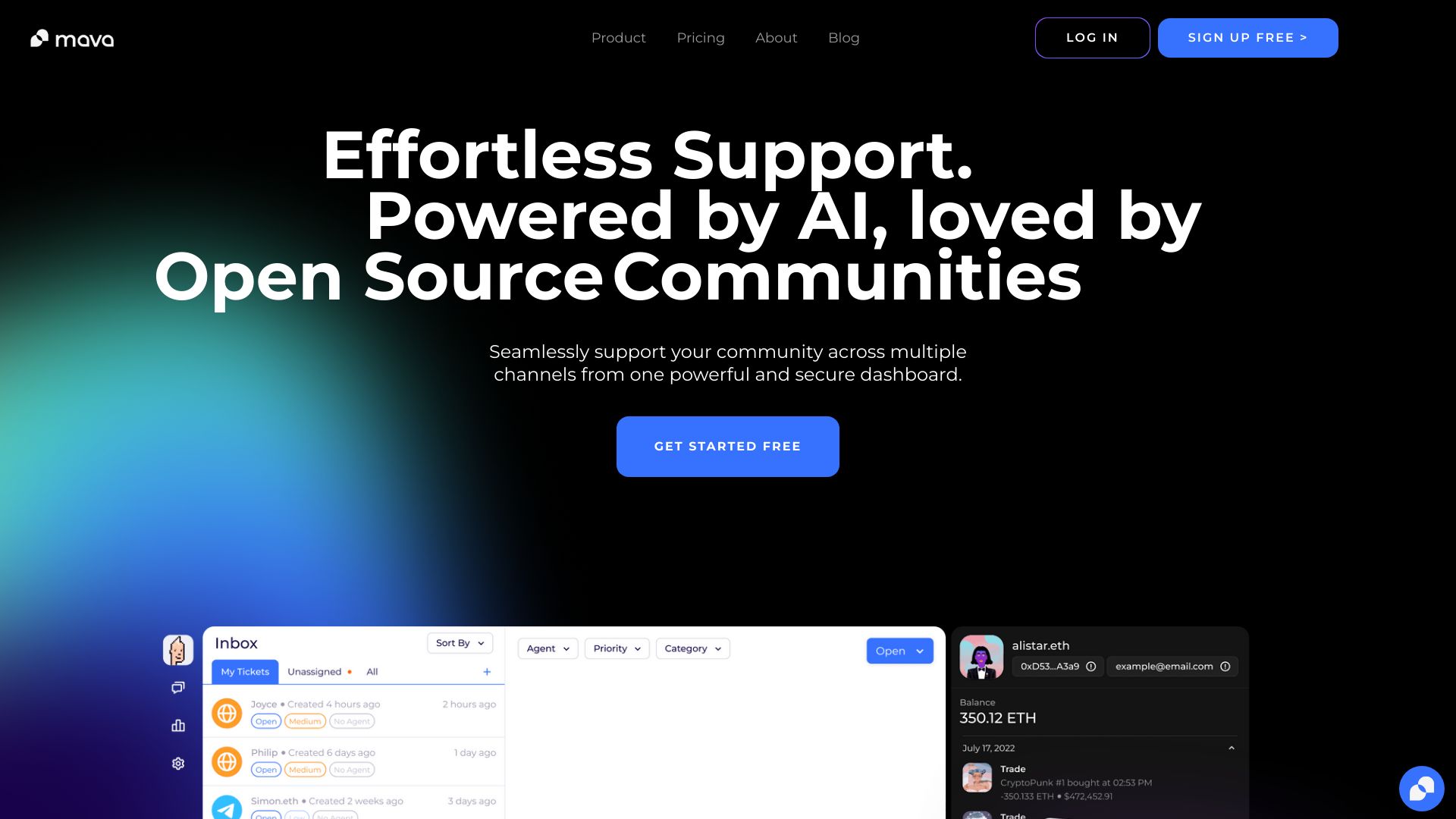
Mava AI is an AI-first customer support platform built for community-driven companies. It connects to your community channels—like Discord—to centralize conversations in a shared inbox, streamline ticketing, and automate replies. Powered by multilingual AI, it can respond 24/7 in 100+ languages, surface suggested answers, and route complex issues to human agents. Teams use Mava AI to track key metrics, reduce response times, and optimize workflows so users receive fast, consistent help wherever they are.
Main Features of Mava AI
- Shared inbox for community channels: Unify private tickets and public messages from Discord and other sources in one place.
- AI-assisted and automated replies: Auto-respond or propose high-quality replies to common questions to cut handling time.
- Multilingual support (100+ languages): Serve global users with real-time translation and localized responses.
- Discord-ready support: Handle public channel questions and DMs, keep conversations on-brand, and deflect repetitive queries.
- Ticketing, routing, and escalation: Assign owners, set priorities, create SLAs, and escalate complex cases to specialists.
- Knowledge base integration: Sync FAQs and documentation so the AI can deliver accurate, consistent answers.
- Analytics and dashboards: Track response times, resolution rates, deflection, satisfaction, and trending topics.
- Workflow automation: Build rules, macros, and triggers to triage, tag, and resolve routine requests at scale.
- Roles and permissions: Manage agent access, audit activity, and maintain compliance across teams.
- Integrations and APIs: Connect to CRMs, data tools, and community platforms to keep context in every conversation.
Who Can Use Mava AI
Mava AI fits community support teams, community managers, and customer success groups who manage large volumes of questions in public and private channels. it's ideal for web3 and gaming communities on Discord, SaaS companies with active user bases, open‑source projects, marketplaces, education platforms, and indie teams that need multilingual, always‑on support without expanding headcount.
How to Use Mava AI
- Sign up and create your workspace for your brand or product.
- Connect community channels (e.g., Discord) and any help desk, CRM, or data sources.
- Import or link your knowledge base, FAQs, and guidelines to train the AI.
- Configure the shared inbox, tags, SLAs, and routing rules for your team.
- Enable AI replies and set policies for automated vs. suggested responses.
- Create workflows and macros to triage, tag, and escalate requests.
- Test in a private channel, then roll out to public channels and DMs.
- Monitor analytics, refine prompts and content, and iterate to improve deflection and CSAT.
Mava AI Use Cases
Gaming and web3 communities use Mava AI to answer onboarding questions in Discord, provide wallet or account guidance, and moderate repetitive requests. SaaS companies deflect how‑to and billing queries with AI replies while routing account‑specific cases to agents. Marketplaces and e‑commerce teams handle order status, returns, and policy questions in multiple languages. Education platforms support learners across time zones, offering instant help on course access and assignments.
Pros and Cons of Mava AI
Pros:
- Centralizes community and ticket support in a single shared inbox.
- 24/7 automated and assisted replies in 100+ languages.
- Deep Discord support for public channels and private DMs.
- Robust analytics to track CSAT, response times, and deflection.
- Flexible workflows and routing to scale support without sacrificing quality.
Cons:
- Automation quality depends on the completeness of your knowledge base and policies.
- Change management is required to align agents and moderators with new workflows.
- Advanced features and integrations may require higher-tier plans and setup time.
FAQs about Mava AI
-
Does Mava AI work with public Discord channels and private DMs?
Yes. It can post answers in public channels, handle DMs, and route complex issues to agents in a shared inbox.
-
How does multilingual support work?
The AI detects language automatically and drafts or sends replies in the user’s language, supporting 100+ languages.
-
Can I control when the AI sends vs. suggests replies?
You can set policies per channel or topic, allowing fully automated responses or agent-approved suggestions.
-
What data does the AI use to answer questions?
It relies on synced knowledge bases, FAQs, and past resolved tickets; admins can manage sources and permissions.
-
Does it include analytics for support performance?
Yes. Dashboards track response time, resolution rate, deflection, satisfaction, and trending issues across channels.