
- Home
- AI Email Writer
- Friday: AI E-mail Writer
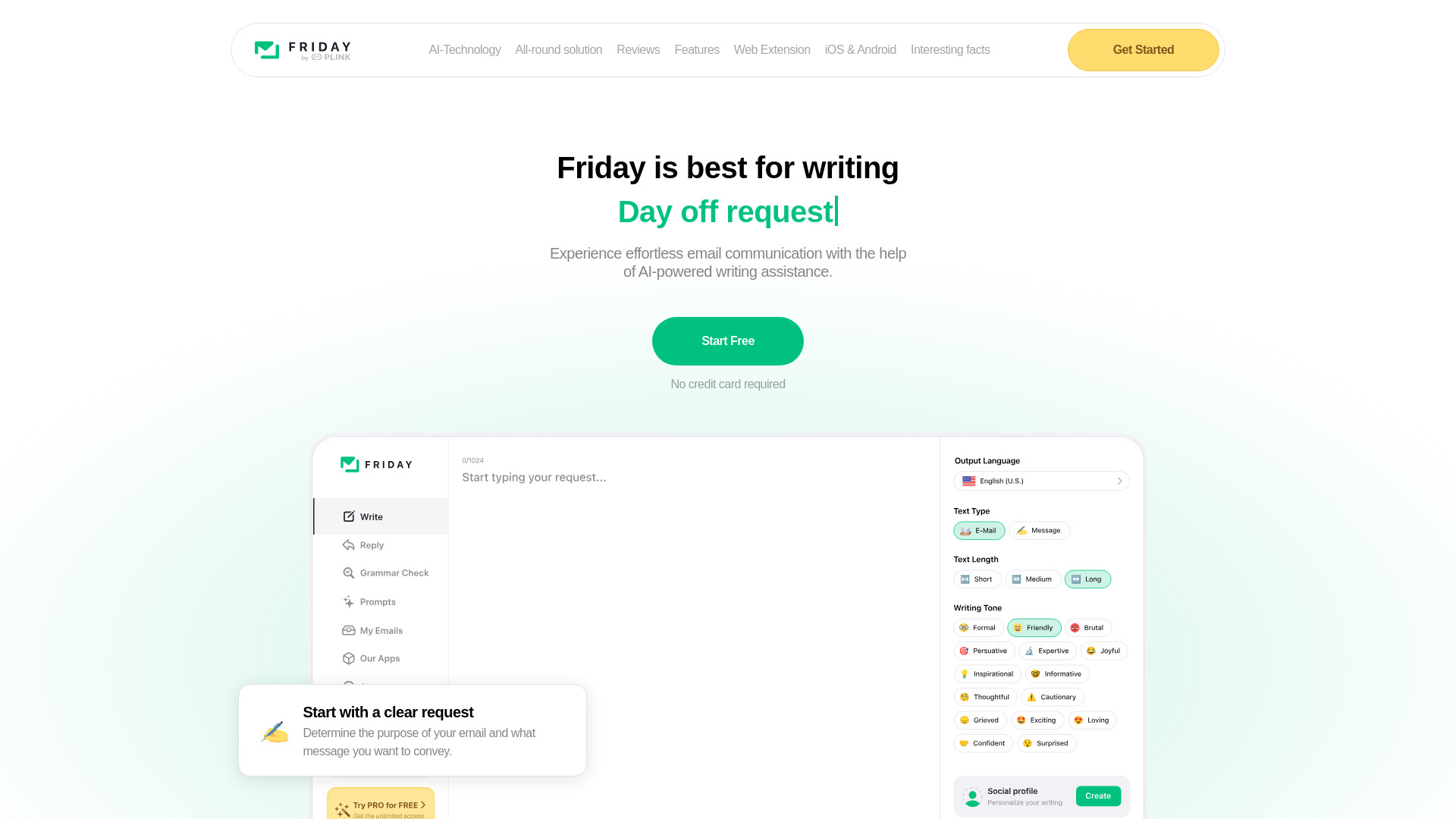
Friday: AI E-mail Writer
Open Website-
Tool Introduction:Friday helps you craft personalized emails with tone, stories, and fixes.
-
Inclusion Date:Oct 28, 2025
-
Social Media & Email:
Tool Information
What is Friday: AI E-mail Writer
Friday: AI E-mail Writer is an AI-powered email assistant that helps you draft clear, persuasive messages faster. It delivers personalized suggestions, tone control, story-driven openings, and concise subject lines while performing real-time proofreading. Whether you’re writing letters, replies, or follow-ups, Friday analyzes your intent and context to propose clean phrasing, fix grammar, and enhance flow—without losing your voice. The result is better emails in less time for both professional and personal communication.
Friday: AI E-mail Writer Main Features
- Smart compose and rewrite: Generate first drafts or improve existing text with concise, context-aware wording.
- Tone and style control: Switch between formal, friendly, or persuasive tones to match each audience and goal.
- Story-driven openings: Add light storytelling or hooks to make outreach emails more engaging.
- Proofreading and polishing: Fix grammar, punctuation, and clarity without altering your core message.
- Subject line suggestions: Craft clear, action-oriented subject lines that improve open rates.
- Reply and follow-up help: Summarize context and propose polite, on-point responses or reminders.
- Templates for letters: Start faster with structures for formal letters, cover letters, and announcements.
- Context awareness: Tailor suggestions using purpose, recipient role, and key facts you provide.
Who Should Use Friday: AI E-mail Writer
Friday suits professionals who write frequently and value clarity and speed: sales and customer success teams, founders, freelancers, HR and recruiting, support agents, educators, and students. It is also helpful for non-native English writers and busy managers who need consistent tone, clean grammar, and efficient email workflows.
How to Use Friday: AI E-mail Writer
- Open the app and choose a task: compose, rewrite, or proofread.
- Enter the purpose, recipient, and any key points or facts to include.
- Select a tone (e.g., formal, friendly, concise) and length preference.
- Generate a draft and review the suggested text, subject line, and openings.
- Refine with targeted prompts (add data, soften tone, shorten, or add a call to action).
- Run a final proofreading pass to fix grammar and formatting.
- Copy the text into your email client and send.
Friday: AI E-mail Writer Industry Use Cases
Sales reps use Friday to craft personalized cold outreach with compelling hooks and crisp subject lines. Customer support teams turn complex issues into clear, empathetic replies. HR professionals prepare concise interview invites and offer letters. Freelancers and consultants create professional proposals and project updates. Educators draft recommendation letters and parent communications with polished, student-centered language.
Friday: AI E-mail Writer Pros and Cons
Pros:
- Speeds up drafting and reduces writer’s block.
- Improves clarity, grammar, and structure while preserving voice.
- Flexible tone control for different audiences and intents.
- Story-driven openings and strong subject lines increase engagement.
- Helpful templates for letters, replies, and follow-ups.
Cons:
- May miss subtle context or organizational nuances without clear input.
- Generic phrasing can appear if prompts lack specific details.
- Still requires human review for accuracy, brand voice, and compliance.
- Creativity and style can vary depending on guidance provided.
Friday: AI E-mail Writer FAQs
-
Question 1: Does Friday replace human writing?
No. It accelerates drafting and editing, but you should review for intent, accuracy, and brand voice.
-
Question 2: Can it handle both formal and casual emails?
Yes. You can choose a tone and adjust formality to fit corporate, academic, or friendly contexts.
-
Question 3: Can I use it just for proofreading?
Yes. Paste your email and run a proofreading or polish pass to fix grammar, clarity, and flow.
-
Question 4: How do I get personalized suggestions?
Provide the goal, recipient role, key facts, and any constraints. The more context, the more targeted the draft.
-
Question 5: Does it suggest subject lines and follow-ups?
Yes. It proposes concise subject lines and can generate polite, timely follow-up messages.