
- Home
- AI Developer Tools
- Encord
Encord
Open Website-
Tool Introduction:Data engine for vision: label, curate, validate, and ship faster.
-
Inclusion Date:Oct 28, 2025
-
Social Media & Email:


Tool Information
What is Encord AI
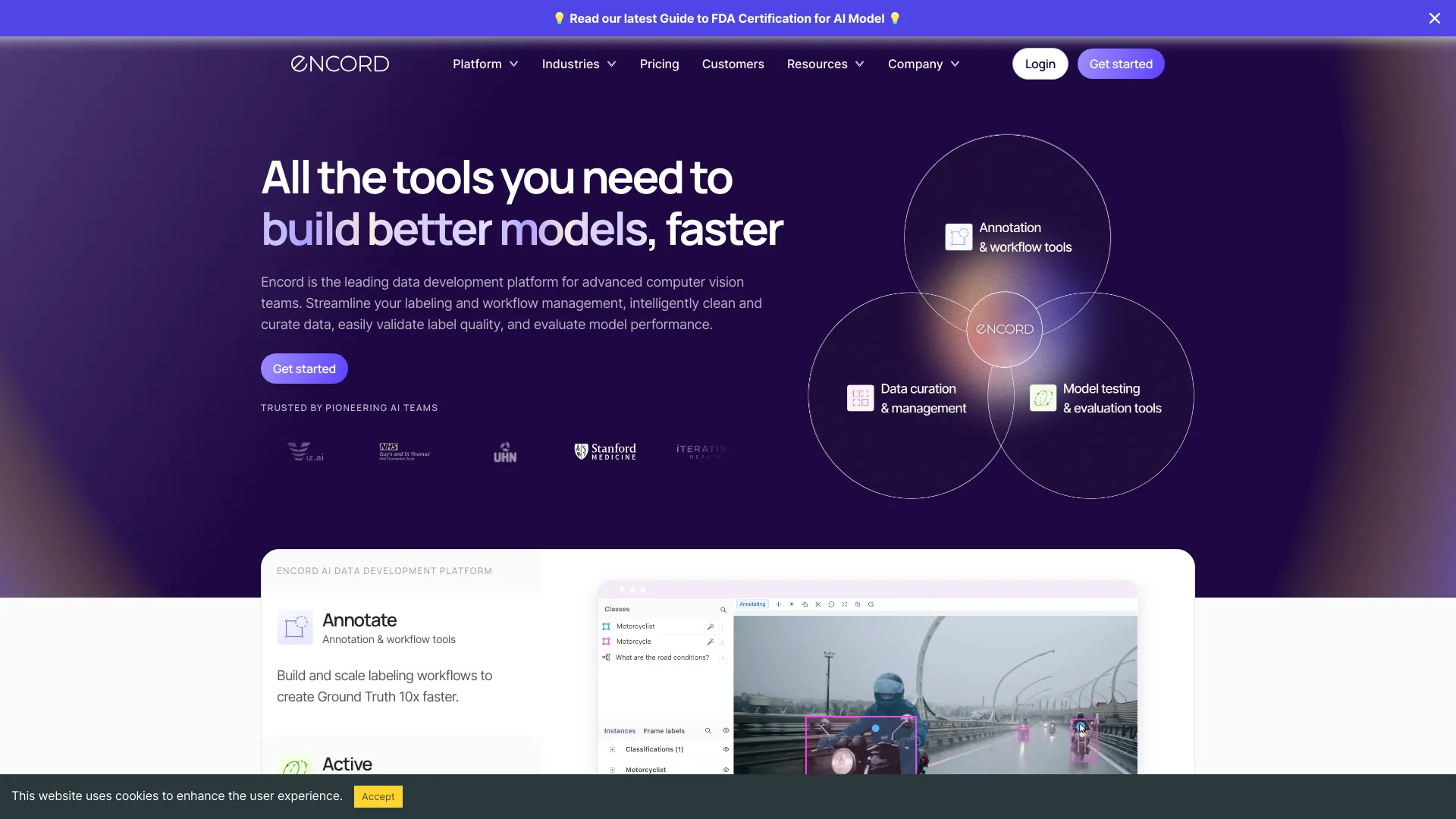
Encord AI is a data platform built for advanced computer vision teams, providing an end-to-end data engine for model development. It streamlines dataset labeling with configurable workflows, automates data cleaning and curation, and validates label quality with rigorous checks. Teams can evaluate model performance on curated benchmarks, close feedback loops with active learning, and manage projects at scale via robust ontology, versioning, and collaboration controls. The result is faster iteration cycles and higher-quality production AI.
Encord AI Main Features
- Flexible annotation tools: Support for bounding boxes, polygons, keypoints, segmentation, and video frame sequences for diverse vision tasks.
- Workflow and automation: Configurable pipelines for labeling, review, and approval with task assignment, SLAs, and automation rules.
- Ontology management: Centralized class and attribute schemas to ensure consistent labels across projects and teams.
- Data cleaning and curation: Intelligent sampling, deduplication, and dataset triage to surface edge cases and reduce noise.
- Quality assurance: Consensus, audits, inter-annotator agreement, and targeted rework to improve label accuracy.
- Model-assisted labeling: Pre-labels and active learning loops to speed up annotation and focus efforts where models are uncertain.
- Evaluation and benchmarking: Track model metrics on curated slices, analyze failure modes, and compare versions over time.
- Versioning and traceability: End-to-end lineage for data, labels, and models to support reproducibility and compliance.
- APIs and SDK: Integrations to import/export datasets, plug into MLOps stacks, and automate workflows programmatically.
- Collaboration at scale: Role-based access, project templates, and dashboards for distributed teams and vendors.
Who Should Use Encord AI
Encord AI suits computer vision teams that need reliable, scalable data operations: ML engineers refining models with data-centric workflows, data operations and labeling managers coordinating large projects, research teams evaluating model performance on curated datasets, and product or QA groups maintaining high-quality production AI across images and video.
How to Use Encord AI
- Create an account and set up a workspace for your organization or project.
- Import data from storage or via API, organizing images and videos into datasets.
- Define an ontology with classes, attributes, and relationships to guide labeling.
- Configure workflows for labeling, review, and QA, including roles and SLAs.
- Kick off annotation using the appropriate tools; enable model-assisted pre-labels if available.
- Run quality checks (consensus, audits) and route low-quality samples for rework.
- Curate datasets by filtering duplicates, outliers, and edge cases; create focused slices.
- Export labeled data or connect via SDK to train or fine-tune your models.
- Evaluate model performance on curated benchmarks; analyze errors and data gaps.
- Iterate with active learning: add hard examples, update labels, and re-train.
Encord AI Industry Use Cases
In healthcare imaging, teams use Encord AI to annotate segmentation masks and validate label quality for diagnostic models. Autonomous driving programs curate large video datasets, prioritize edge cases, and evaluate detection performance across weather and lighting conditions. Retail and CPG teams label shelf scenes for product recognition and track accuracy drift. In manufacturing, defect detection models benefit from rigorous QA and iterative data curation to reduce false negatives.
Encord AI Pricing
Encord AI typically offers tiered plans for teams and custom pricing for enterprises, with access to APIs and advanced workflow features varying by tier. Some components, such as community or open-source tooling (e.g., data-centric utilities), may be available at no cost. For current details on plans, limits, and trials, consult the official Encord channels.
Encord AI Pros and Cons
Pros:
- Comprehensive data engine covering labeling, curation, QA, and evaluation.
- Strong workflow orchestration and collaboration for large, distributed teams.
- Data-centric features (active learning, slicing) that accelerate model improvement.
- Robust ontology and versioning for consistent, reproducible experiments.
- APIs/SDK for integration with existing MLOps pipelines.
Cons:
- Advanced setup and configuration may require onboarding time for new teams.
- Enterprise features and scale can increase operational complexity.
- Performance depends on data infrastructure and storage choices.
- Pricing and feature availability can vary by plan and deployment model.
Encord AI FAQs
-
Question 1: What data types and tasks does Encord AI support?
It supports common computer vision data such as images and videos, and tasks including detection, segmentation, keypoint annotation, classification, and tracking.
-
Question 2: Can I integrate Encord AI into my MLOps stack?
Yes. Use the platform’s APIs and SDK to import/export datasets, automate workflows, and connect training, evaluation, and deployment pipelines.
-
Question 3: How does Encord AI ensure label quality?
Through configurable review steps, consensus checks, audits, inter-annotator agreement metrics, and targeted rework of low-confidence labels.
-
Question 4: Does Encord AI support active learning?
Yes. You can prioritize uncertain or high-impact samples, pre-label with models, and iterate on curated slices to improve performance faster.
-
Question 5: Is there an option for community or open-source tools?
Certain data-centric utilities are available in community or open-source form, which can complement the managed platform for experimentation.