
- Home
- AI Blog Generator
- Contrast
Contrast
Open Website-
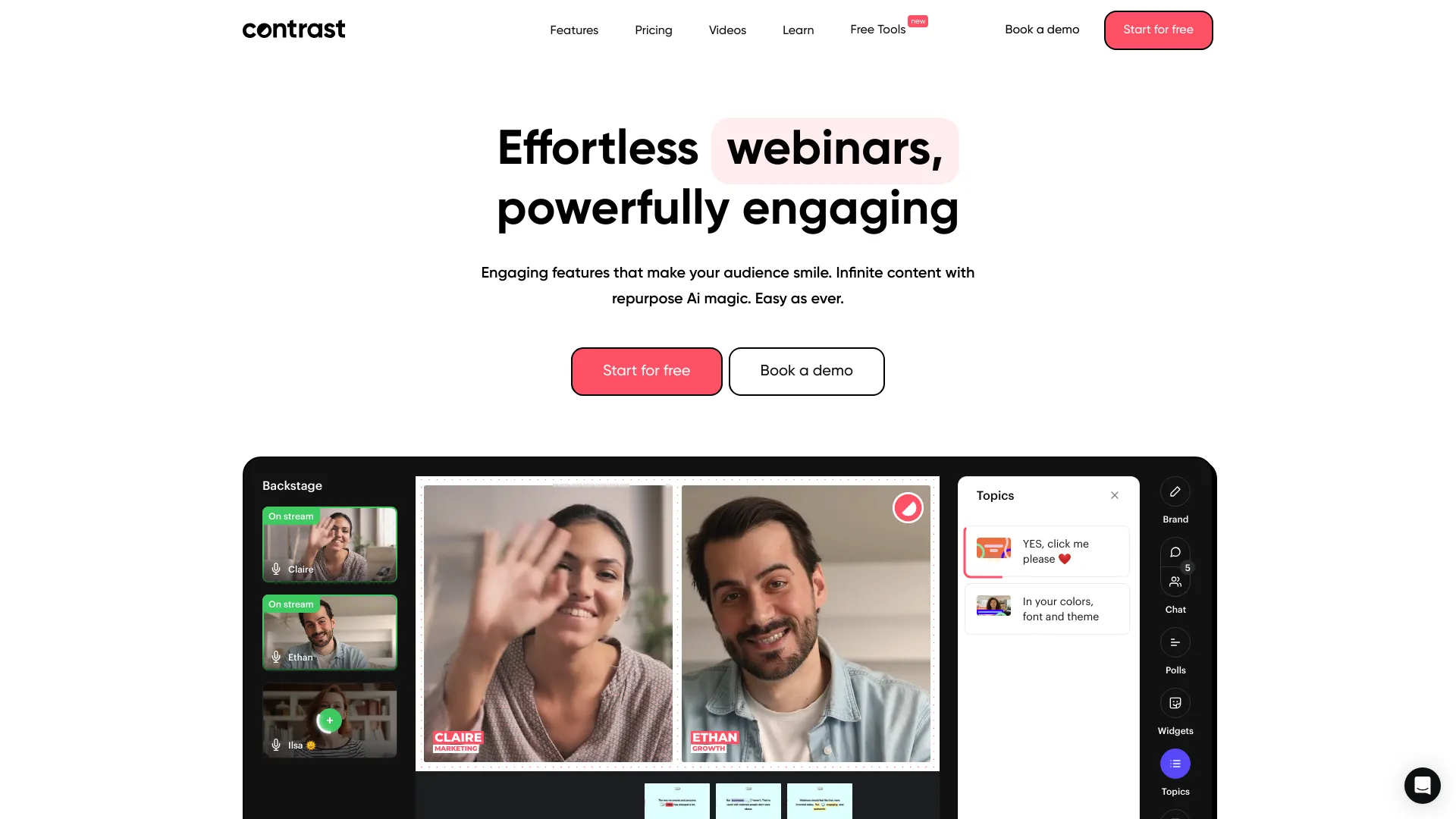
Tool Introduction:Contrast AI makes webinars engaging; turn sessions into clips and blogs.
-
Inclusion Date:Nov 02, 2025
-
Social Media & Email:


Tool Information
What is Contrast AI
Contrast AI is a modern webinar platform built to host engaging online events that keep audiences watching until the end. It combines interactive Q&A, animated elements, branded webinars, modern chat, and dynamic layouts to deliver polished, on-brand experiences. Beyond live delivery, it streamlines content repurposing with automatic summaries, blog-ready drafts, video clips, and newsletters. Contrast AI offers a free plan and paid tiers that add CRM integrations, registration pages, viewer engagement analytics, and on-demand webinars to support the full marketing funnel.
Main Features of Contrast AI
- Engaging Q&A and chat: Run interactive Q&A sessions and real-time conversations through a modern chat experience to boost audience participation.
- Animations and dynamic layouts: Use animated elements and flexible layouts to create visually compelling, high-retention webinars.
- Branded webinars: Customize visuals, colors, and assets for cohesive, on-brand events that match your style guidelines.
- Content repurposing suite: Turn recordings into concise summaries, blog posts, short clips, and newsletters to extend reach across channels.
- Viewer engagement analytics: Measure watch time, drop-off points, and interactions to refine content and follow-up strategy.
- Registration pages: Build optimized registration flows to capture sign-ups and manage audience lists.
- On-demand webinars: Offer replay options to convert and educate viewers beyond the live event.
- CRM integrations: Sync registrants and engagement data with your CRM for better lead scoring and nurturing.
Who Can Use Contrast AI
Contrast AI suits marketing teams running lead-generation webinars, product managers showcasing demos, sales teams enabling prospects, and customer success teams delivering training. Agencies and event marketers can host branded thought-leadership series, while educators and community managers can run interactive sessions with Q&A and chat. Any organization seeking high-engagement webinars and scalable content repurposing will benefit.
How to Use Contrast AI
- Sign up: Create an account and choose the free plan or a paid tier based on your needs.
- Create a webinar: Set the title, date, time, and access settings for live or on-demand viewing.
- Brand the experience: Apply your logo, colors, and dynamic layouts; add animations to polish the session.
- Set up registration: Build a registration page and confirmation emails to capture attendees.
- Prepare content: Upload slides, videos, and speaker notes; plan the Q&A flow and chat guidelines.
- Go live: Host the webinar, manage Q&A, and engage viewers via the modern chat experience.
- Analyze performance: Review engagement analytics to understand audience behavior and follow up.
- Repurpose content: Generate summaries, blog drafts, clips, and newsletters to extend reach.
- Sync data: Connect CRM integrations to update contacts and trigger nurturing workflows.
Contrast AI Use Cases
SaaS companies run product demos that convert prospects and later publish on-demand replays. B2B marketers host thought-leadership webinars, then repurpose recordings into blog posts and newsletter recaps. Customer education teams deliver training sessions with Q&A and provide on-demand access for self-paced learning. Agencies produce branded webinar series for clients, using engagement analytics to optimize topics and formats.
Contrast AI Pricing
Contrast AI offers a free plan suitable for getting started with live webinars and core features. Paid plans add advanced capabilities such as CRM integrations, viewer engagement analytics, customizable registration pages, and on-demand webinars. Pricing varies by tier and feature limits; choose a plan based on attendee volume, branding needs, and integration requirements.
Pros and Cons of Contrast AI
Pros:
- High-engagement webinars with Q&A, animations, and modern chat.
- Branded experiences and dynamic layouts for professional polish.
- Built-in content repurposing: summaries, blogs, clips, newsletters.
- Viewer engagement analytics to guide follow-up and optimization.
- On-demand webinars extend reach beyond the live event.
- CRM integrations enable tighter lead management and nurturing.
- Free plan available for quick onboarding and testing.
Cons:
- Advanced features and integrations require a paid plan.
- Learning curve for customizing layouts and branding at first.
- Live performance depends on presenter and attendee network quality.
- Free tiers may have attendee or feature limits that affect scaling.
FAQs about Contrast AI
-
Does Contrast AI offer on-demand webinars?
Yes, on-demand viewing is available on paid plans to extend engagement after the live event.
-
Can I repurpose webinar content automatically?
Yes. Contrast AI can generate summaries, blog drafts, short clips, and newsletters from your recordings.
-
Is there a free plan?
Yes, a free plan lets you start hosting webinars and explore core functionality.
-
Does it integrate with CRMs?
Paid plans include CRM integrations so you can sync registrants and engagement data.
-
What analytics are included?
Viewer engagement analytics help you track attendance, watch time, and interactions to improve follow-up.