
folk
Open Website-
Tool Introduction:AI CRM for LinkedIn and email: enrich contacts, automate outreach.
-
Inclusion Date:Oct 28, 2025
-
Social Media & Email:


Tool Information
What is folk AI
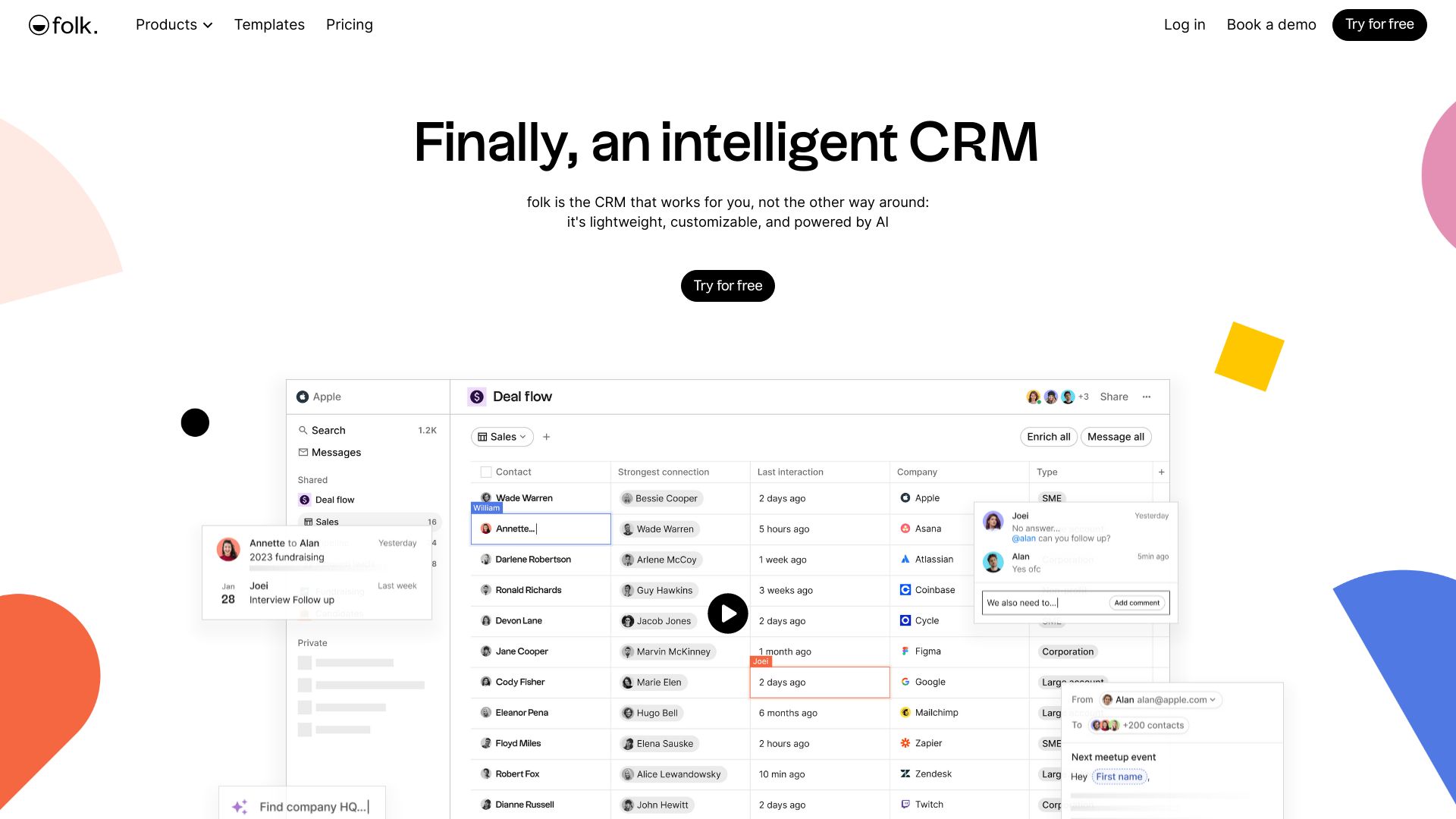
folk AI is a lightweight, customizable, AI-powered CRM designed to help teams build stronger relationships and close more deals. It unifies contacts, conversations, and pipeline data from LinkedIn, Gmail, Outlook, WhatsApp, and other channels into a single source of truth. With contact enrichment, personalized email sequences, collaborative pipelines, and clear sales dashboards, folk AI streamlines outreach and simplifies sales flows. Flexible fields and views adapt to your process, while AI surfaces and prioritizes the next best leads.
folk AI Main Features
- Unified contact hub: Syncs people, companies, and activity from LinkedIn, Gmail, Outlook, WhatsApp, and more to centralize relationship data.
- Contact enrichment: Enriches profiles with additional context to reduce manual data entry and keep records current.
- Personalized email sequences: Create tailored outreach with variables, scheduled steps, and automatic follow-ups to improve reply rates.
- Collaborative pipelines: Track leads and deals with shared stages, notes, tasks, and ownership to keep teams aligned.
- Sales dashboards: Monitor pipeline health, activity, and outcomes with clear views for forecasting and prioritization.
- Lead prioritization: AI highlights warm prospects based on signals and recent engagement so reps focus where it matters.
- Custom fields and views: Model your process with flexible fields, filters, and saved segments.
- Workflow simplification: Reduce spreadsheet work, automate follow-ups, and keep a clean, always-updated CRM.
Who Should Use folk AI
folk AI suits sales teams, business development, partnerships, recruiting, customer success, agencies, and founders who need a nimble CRM. it's ideal for teams that work across LinkedIn and email, want collaborative pipelines, and value AI-driven enrichment, outreach, and lead prioritization without heavyweight setup.
How to Use folk AI
- Sign up and connect your accounts (e.g., LinkedIn, Gmail, Outlook, WhatsApp) to start syncing contacts and activity.
- Import or merge existing lists, deduplicate records, and run enrichment to complete missing data.
- Customize fields, pipeline stages, and saved views to reflect your sales or relationship workflow.
- Create personalized email sequences with templates, variables, and schedules for multi-step outreach.
- Collaborate in pipelines: assign owners, add notes and tasks, set reminders, and log interactions.
- Use AI suggestions and filters to prioritize leads and plan daily follow-ups.
- Track progress in dashboards and refine messaging and stages based on performance.
folk AI Industry Use Cases
B2B SaaS sales teams centralize leads from LinkedIn and email, run tailored sequences, and track conversions in a shared pipeline. Recruiting firms manage candidates and clients in one place, nurturing relationships across email and WhatsApp while coordinating interviews. Venture capital and partnerships teams map networks, log intros and meetings, and align follow-ups with dashboards that highlight warm opportunities.
folk AI Pricing
folk AI is offered as a subscription-based SaaS with plan options that vary by features and team size. Billing and inclusions can change over time; visit the official pricing page to review current tiers and any available trials before purchasing.
folk AI Pros and Cons
Pros:
- Seamless integrations with LinkedIn, Gmail, Outlook, and WhatsApp to centralize relationship data.
- AI-powered enrichment and lead prioritization reduce manual work and improve focus.
- Collaborative pipelines, tasks, and notes keep teams aligned and accountable.
- Personalized email sequences streamline multi-step outreach with measurable results.
- Lightweight, customizable structure that adapts to different workflows.
Cons:
- Integration depth may depend on third-party platform limits and API quotas.
- Advanced analytics or heavy customization could require additional tooling.
- Teams moving from spreadsheets or legacy CRMs may face an initial learning curve.
- Highly complex enterprise processes might need more specialized configuration.
folk AI FAQs
-
Does folk AI integrate with LinkedIn, Gmail, Outlook, and WhatsApp?
Yes. It connects to these platforms to unify contacts and activity, helping you manage outreach and keep records synced.
-
How does contact enrichment work?
folk AI augments records with additional context to reduce manual entry and keep profiles accurate for better targeting.
-
Can I create personalized email sequences?
Yes. Build multi-step sequences with variables and schedules, then measure opens, replies, and outcomes to refine messaging.
-
Is folk AI suitable for small teams and startups?
Absolutely. Its lightweight setup, collaborative pipelines, and AI assistance make it a strong fit for lean, fast-moving teams.
-
How does folk AI help prioritize leads?
AI surfaces warm prospects based on activity and engagement signals, while filters and views let you focus your daily actions.