
- Home
- AI Image Generator
- GenTube
GenTube
Open Website-
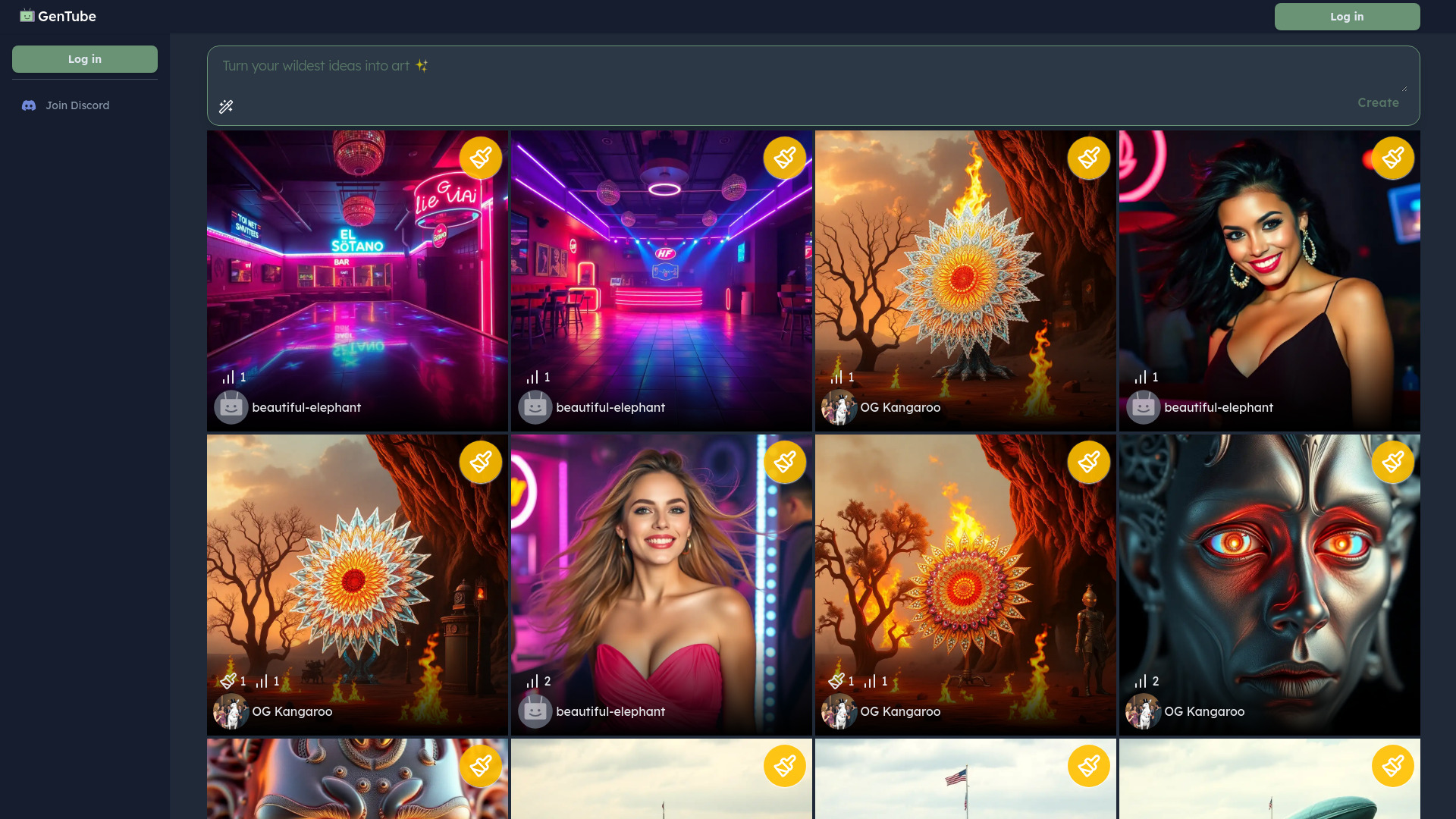
Tool Introduction:GenTube AI turns ideas into art—abstract to hyper‑real images.
-
Inclusion Date:Oct 21, 2025
-
Social Media & Email:
Tool Information
What is GenTube AI
GenTube AI is a creative platform that turns ideas into art with AI image generation. From playful abstract designs to hyper-realistic photos, it converts text prompts into polished visuals in seconds. Focused on accessible AI art creation and self-expression, it offers streamlined design tools so you can explore styles, refine composition, and iterate quickly. Whether you’re prototyping concepts, enhancing social content, or experimenting with new aesthetics, GenTube AI shortens the path from concept to finished image while keeping the process engaging and intuitive.
GenTube AI Main Features
- Text-to-image generation: Create images from plain-language prompts, spanning abstract artwork to photorealistic scenes.
- Style exploration: Guide results toward artistic, illustrative, or realistic looks to match your project’s tone.
- Iterative workflows: Regenerate, fine-tune prompts, and adjust visual direction to quickly improve outcomes.
- Built-in design tools: Make essential adjustments to framing, colors, and layout to finalize assets without leaving the platform.
- Fast exports: Download images for social media, presentations, mood boards, or creative drafts.
- Creative discovery: A playful experience that encourages experimentation and novel visual ideas.
Who Should Use GenTube AI
GenTube AI suits designers, marketers, content creators, educators, and hobbyists who need quick, high-quality visuals. it's ideal for social media posts, campaign concepts, mood boards, classroom materials, and personal art projects—any scenario where rapid ideation and clear visual storytelling matter.
How to Use GenTube AI
- Sign up or log in to access the workspace.
- Describe your idea with a concise text prompt, noting subject, style, and mood.
- Select a visual direction (e.g., abstract design or photorealistic rendering).
- Adjust basic options such as image size or orientation if available.
- Generate images and review the results.
- Iterate by refining the prompt, changing style emphasis, or regenerating variations.
- Download the final image for use in your project or share it with collaborators.
GenTube AI Industry Use Cases
Marketing teams can draft campaign visuals and social ads in minutes. E-commerce sellers can explore product scene concepts and lifestyle imagery before production. Educators can create illustrations to explain complex topics. Creators and studios can build mood boards, concept art, and keyframes to communicate direction early in the design process, speeding decisions and reducing turnaround time.
GenTube AI Pros and Cons
Pros:
- Rapid AI image generation for faster ideation and prototyping.
- Wide stylistic range from abstract art to hyper-realistic photos.
- Beginner-friendly workflow with accessible design tools.
- Supports quick iteration for improved creative outcomes.
- Convenient exports for social, presentations, and creative drafts.
Cons:
- Results depend on prompt clarity; may require trial and error.
- Complex compositions or strict brand rules may need manual post-editing.
- Usage rights and licensing depend on platform policy; review before commercial use.
- High-detail renders can take longer to generate depending on system load.
GenTube AI FAQs
-
What is GenTube AI used for?
It turns text prompts into images, enabling quick creation of abstract designs, illustrations, and photorealistic visuals for content, concepts, and personal art.
-
Does it create photorealistic images?
Yes. GenTube AI can produce hyper-realistic photos as well as stylized or abstract artwork, depending on your prompt and chosen direction.
-
Do I need design experience?
No. The interface is beginner-friendly, and iterative prompts help you refine results without advanced design skills.
-
Can I use the images commercially?
Commercial use depends on the platform’s licensing terms. Review the official policy before publishing or selling generated assets.
-
How can I improve my results?
Be specific in prompts about subject, style, lighting, and mood; iterate with small prompt changes; and compare multiple generations to choose the best output.