
Thundr
Open Website-
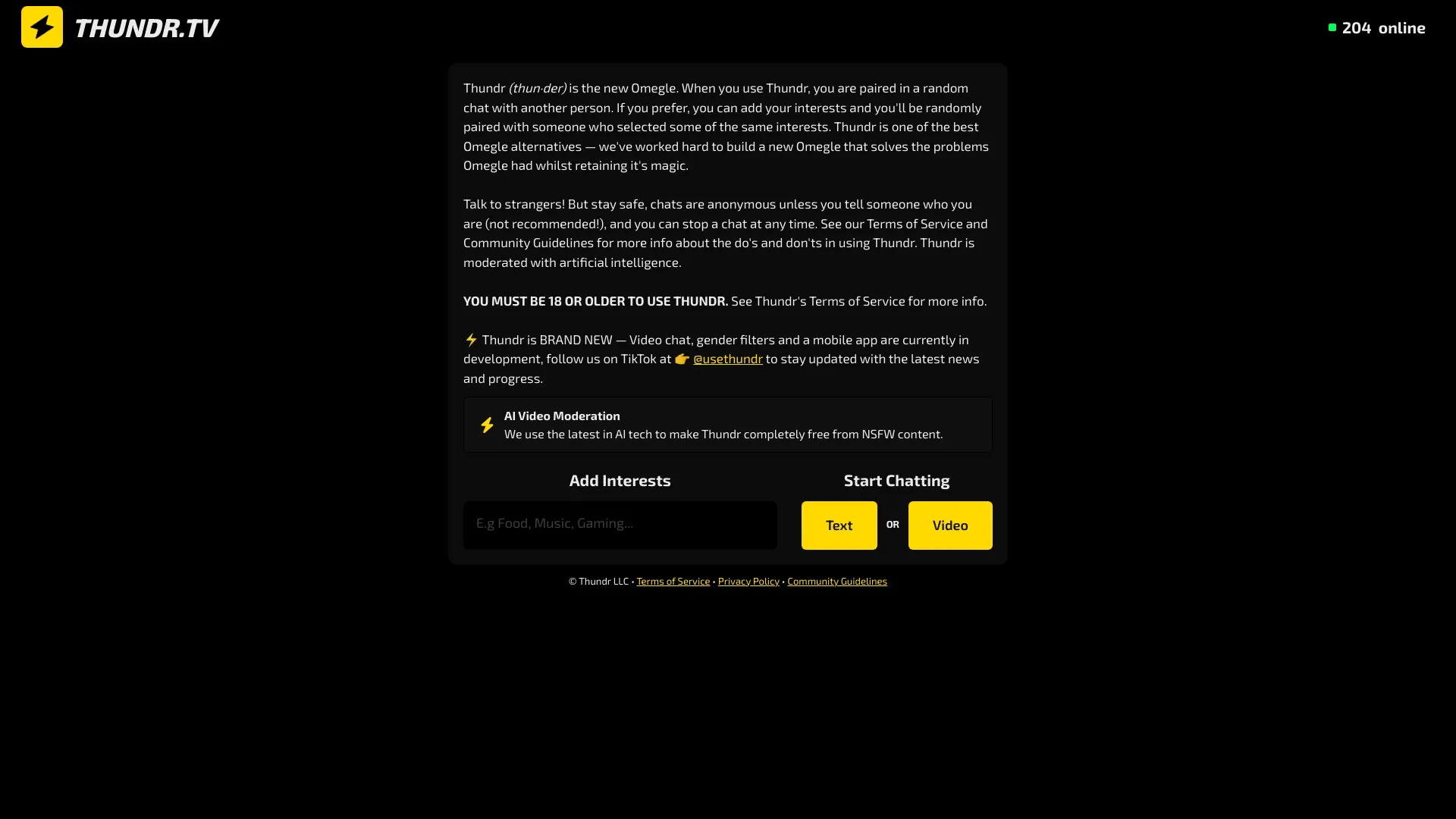
Tool Introduction:Anonymous video + text chat with real-time AI safety; an Omegle alternative.
-
Inclusion Date:Nov 09, 2025
-
Social Media & Email:

Tool Information
What is Thundr AI
Thundr AI (Thundr.tv) is an anonymous, AI‑moderated video and text chat platform that instantly connects people for real-time conversations. Designed around privacy and safety, it uses live AI moderation to reduce spam, harassment, and explicit content while encouraging respectful, engaging chats. With fast matching, easy switching between video and text, and built-in reporting tools, Thundr AI offers a safer, modern alternative to random chat sites like Omegle. Its core value is enabling spontaneous connections without sacrificing user anonymity or conversation quality.
Main Features of Thundr AI
- Real-time AI moderation: Detects and mitigates toxic language, nudity, spam, and abusive behavior to keep conversations safe.
- Anonymous by design: Connect without exposing personal details, supporting privacy-first interactions.
- Instant matching: One-click pairing for fast, frictionless video chat and text chat.
- Video and text modes: Switch between camera-enabled calls and text-only chats to suit comfort level.
- Safety controls: Quick report and block options empower users to manage unwanted interactions.
- Quality filters: Automated content and behavior screening reduces low-quality or disruptive chats.
- Cross-device access: Works on modern browsers across desktop and mobile for on-the-go conversations.
- Lightweight onboarding: Start chatting in moments with minimal setup and clear community guidelines.
Who Can Use Thundr AI
Thundr AI is ideal for anyone seeking safe, spontaneous social discovery. Common users include people looking for casual conversation, students practicing language skills, creators building community engagement, and online clubs or communities hosting moderated meetups. It also suits moderators who need automated tools to keep chats civil and platform operators who want an AI‑moderated random chat experience without heavy manual oversight.
How to Use Thundr AI
- Open Thundr.tv in a modern browser and review the community guidelines.
- Select your preferred mode: video chat (allow camera/mic) or text-only chat.
- Click Start to get instantly matched with another user.
- Chat in real time; switch between video and text at any moment if supported.
- Use the report/block controls if you encounter spam or abusive behavior.
- End the session or move to the next match when you’re ready to continue.
Thundr AI Use Cases
In social networking, users meet new people via anonymous video chat without revealing identity. Language learners practice conversation skills with native speakers through quick, low-pressure pairing. Campus groups and online communities host safe virtual hangouts with AI-moderated chat. Creators run pop-up meet-and-greets, while event organizers enable attendee networking that’s protected by real-time content filtering. UX teams can gather informal feedback through brief, anonymous text chats.
Pros and Cons of Thundr AI
Pros:
- Real-time AI moderation enhances safety and conversation quality.
- Anonymous design supports privacy and reduces sign-up friction.
- Fast matching with both video and text options.
- Built-in reporting and blocking tools give users control.
- Browser-based and mobile-friendly for easy access.
Cons:
- AI filters may occasionally flag content incorrectly (false positives/negatives).
- Random matching can be unpredictable in relevance or fit.
- Experience depends on user behavior and internet quality.
- Feature set may vary by region, device, or ongoing updates.
FAQs about Thundr AI
-
Is Thundr AI anonymous?
Yes. it's built for anonymous, privacy-first conversations. Avoid sharing personal information during chats.
-
How does the AI moderation work?
Automated models analyze content and behavior in real time to reduce spam, explicit material, and harassment, helping keep chats safe.
-
Do I need an account to start?
Thundr AI emphasizes minimal friction. Exact onboarding steps can vary, but you can typically start quickly without exposing identity.
-
Can I switch between video and text?
Yes. You can use video chat or text chat and switch based on comfort or context.
-
How do I handle abusive behavior?
Use the in-chat report and block tools to end the session and flag the interaction for moderation.